
Kripicard loads crypto into a virtual Visa or Mastercard — the coin choice is the best part, the trust risk is the worst
 Available in US
Kripicard turns crypto into an ordinary-looking payment card you can spend in shops and online: you load a balance from your own wallet and then pay with a virtual Visa or Mastercard, or push the card into Apple Pay, Google Pay or Samsung Pay. It is not a bank. It describes itself as a financial technology company and a technology platform, and it says the cards are issued by licensed partners in their respective jurisdictions — it does not name the issuer, and it does not say whether there is a physical card at all.
I came to this with one question: is this a reasonable place to park spending money if an ordinary bank card is hard for me to get? My answer is a qualified one, and it comes down to a single word — trust. The mechanics look sensible. The coin list is genuinely the broadest I have seen on a card like this. But the card’s own pages leave some of the basics unsaid, and the complaint record, short as it is, contains exactly the story I would worry about most: money that arrived on-chain and was then not returned.
Conditions on this page are current as of October 28, 2026.
Verdict: 5.5 out of 10
Here is the card’s score out of 10, criterion by criterion, with my reasons in my own words.
| Criterion | Mark | Why |
|---|---|---|
| Who can get it | 8 / 10 | Kripicard says 190+ countries and “wherever Visa or Mastercard is accepted”, with availability varying by region and jurisdiction. Sanctioned jurisdictions are not supported, so eligibility runs through banking and identity partners. Broad on paper, still region-dependent in practice. |
| Cost | 3 / 10 | Premium tier: $5 to issue, $0 a month, 0.00% FX. But funding costs 4% plus $1 processing. An unofficial tier listing quotes cheaper issue and worse FX and monthly fees. One of the most expensive top-up rates in this category. |
| Top-up options | 10 / 10 | USDT, USDC, BTC, ETH, SOL, BNB, TRX, TON, LTC, DOGE, XMR — over networks including Ethereum, Tron, BNB Chain, Solana, TON and Bitcoin. This is the strongest single point on the card. |
| Reliability and complaints | 3 / 10 | No issuer named, and the platform is not a bank. Trustpilot shows 2.9 out of 4 from four reviews: a deposit confirmed on the blockchain was rejected and support went quiet. Third-party aggregators report cards being blocked often. Thin, bad, and unresolved. |
| Everyday use | 4 / 10 | Virtual Visa or Mastercard only, plus the three mobile wallets. No app yet — web dashboard only. An unofficial source says the ATM limit is $0, which is what you would expect from a virtual card. Limited for daily life, fine for online spending. |
Total: 5.5 / 10.
Who this suits. You have crypto you already want to spend, you want to choose the exact coin and network rather than being handed one stablecoin, and you are paying online or through a phone wallet rather than pulling cash out. If you like control over which chain your money moves on, Kripicard gives you more of that choice than its rivals.
Who this does not suit. Anyone whose income arrives as ordinary fiat and who wants an ordinary bank account. Anyone who needs a physical card, a phone app on day one, or an ATM. And — this is the honest part — anyone for whom a 4% funding fee plus $1 on every top-up would sting, because that cost sits on top of whatever the blockchain itself charges you. Nor is it a card for someone unwilling to accept that a private company’s decision, and a banking partner’s decision, can sit between your money and your payment.
If you are picking a first crypto card and your priority is not *which coin can I send* but *can I get my money back if this goes wrong*, read the “What can go wrong” section first. It is the part that decided my mark.
Will they give you the card?
Yes, for most of the world — with the usual carve-outs. Kripicard says “190+ countries” and that it works “wherever Visa or Mastercard is accepted”. It also says “availability of products may vary by region” and by jurisdiction and eligibility, and plainly that sanctioned jurisdictions are not supported.
That last line does the real work. Kripicard does not run the eligibility test itself — it runs it through banking and identity partners and against sanctions rules. So the country you live in is not the only question; the country you are a citizen of can be as relevant, because sanctions screening is applied to citizenship and country of birth as well as to your address. A person with an address in one country and citizenship in another can find the door closed for reasons that have nothing to do with where they live.
There is one more honest limitation to keep in mind. The card’s pages never say what happens at the edge — a small country, a recent residency, an unusual immigration status. “Availability may vary by region” is doing a lot of quiet work. If your situation is not a plain resident-with-local-documents case, the only way to know is to attempt it and read what the application says.
How to get it
The route the card describes is short, which is its own kind of answer. You verify your identity, you top up in crypto, and the card is issued — batch notes quoted by Kripicard put issuance at “in 60 seconds”. Delivery is not stated, and neither is a physical card; everything the pages describe is virtual. The currency is not stated either, though the fees are all in dollars.
Identity checks. Kripicard says it runs “identity verification, sanctions screening, and AML/CFT monitoring with regulated partners”, plus continuous monitoring of transactions, and that there are no credit checks. What the public pages do *not* state is which documents you need, whether proof of address is required, or what age you must be. There are no described tiers of verification — no small-limit path, no higher-limit path — and no stated processing time or list of rejection reasons. That silence matters more than it sounds: if your file is refused, the pages do not tell you why it was refused or how to appeal it.
A word on the third-party picture here. An unofficial review site describes a “Gold Tier” with email-only verification — no phone, no ID, no address proof, no selfie — and a Trustpilot reviewer mentions no KYC at all. Take that for what it is: third-party description, not something Kripicard’s own pages confirm, and it disagrees with the identity-check language above. Where the two conflict, believe the card’s own words and assume the stricter check.
Fees: what it really costs
The headline fees look kind. The number you actually pay on each top-up is where this card earns its 3 out of 10.
- Issuance, Premium tier: $5 (the card says this can be negotiated by volume).
- Monthly fee: $0 on Premium.
- FX: 0.00% — “no FX markup” on the home page.
- Funding: 4% on top-up, plus $1 processing.
- Authorisation: 0.00%.
Two things stand out. First, only Premium is listed on the fees page — a single official tier. Second, an unofficial listing describes a “Gold Tier” with $3 issuance, a $1.5 monthly fee and 1% FX. That contradicts the official Premium numbers, so I am telling you both and leaning on the card’s own page.
| Fee or limit | Value |
|---|---|
| Issuance (Premium) | $5 |
| Monthly fee (Premium) | $0 |
| Funding fee | 4% |
| Funding processing fee | $1 |
| FX markup | 0.00% |
| Authorisation fee | 0.00% |
| ATM | Not stated; unofficial source says ATM limit $0 |
| Single transaction | $25,000 |
| Daily limit | $25,000 |
| Monthly limit | $150,000 |
| Minimum to create a card | $10 |
| Minimum top-up after that | $1 |
Three everyday payments, and what applies. Take a coffee, a weekly shop, and a monthly subscription:
- The coffee costs you the 4% funding fee and $1 processing, plus whatever the blockchain charges for your transfer — and on a stablecoin network that network fee can exceed a small purchase. The card says its own numbers; the network fee on your deposit is charged by the blockchain, not by Kripicard.
- The weekly shop is the same arithmetic repeated, spread over a week. The 0.00% FX is genuinely good, but it only helps if you hold a dollar balance and spend dollars.
- The subscription is a fixed small charge; the fee structure makes small recurring payments the worst case, because the $1 processing lands on top of a small amount.
Two honest caveats. The card says fees, card limits and operational limits are disclosed during the purchase or top-up process and may change at any time — so treat the table above as what is published now, not a contract. And the card’s own pages state the minimum to create a card as $10 while the home page also says “as little as $10” and “$1” inconsistently; small top-ups are possible after the first one, but the first one has a floor.
Top up: the best thing about it
This is where Kripicard is genuinely strong, and it is not close. You can fund with USDT, USDC, BTC, ETH, SOL, BNB, TRX, TON, LTC, DOGE, XMR — the card says 150+ coins — across networks including Ethereum, Tron, BNB Chain, Solana, TON and Bitcoin, which it counts as 6+. For someone who holds several coins and does not want to be forced into one, that choice is the reason to look here at all.
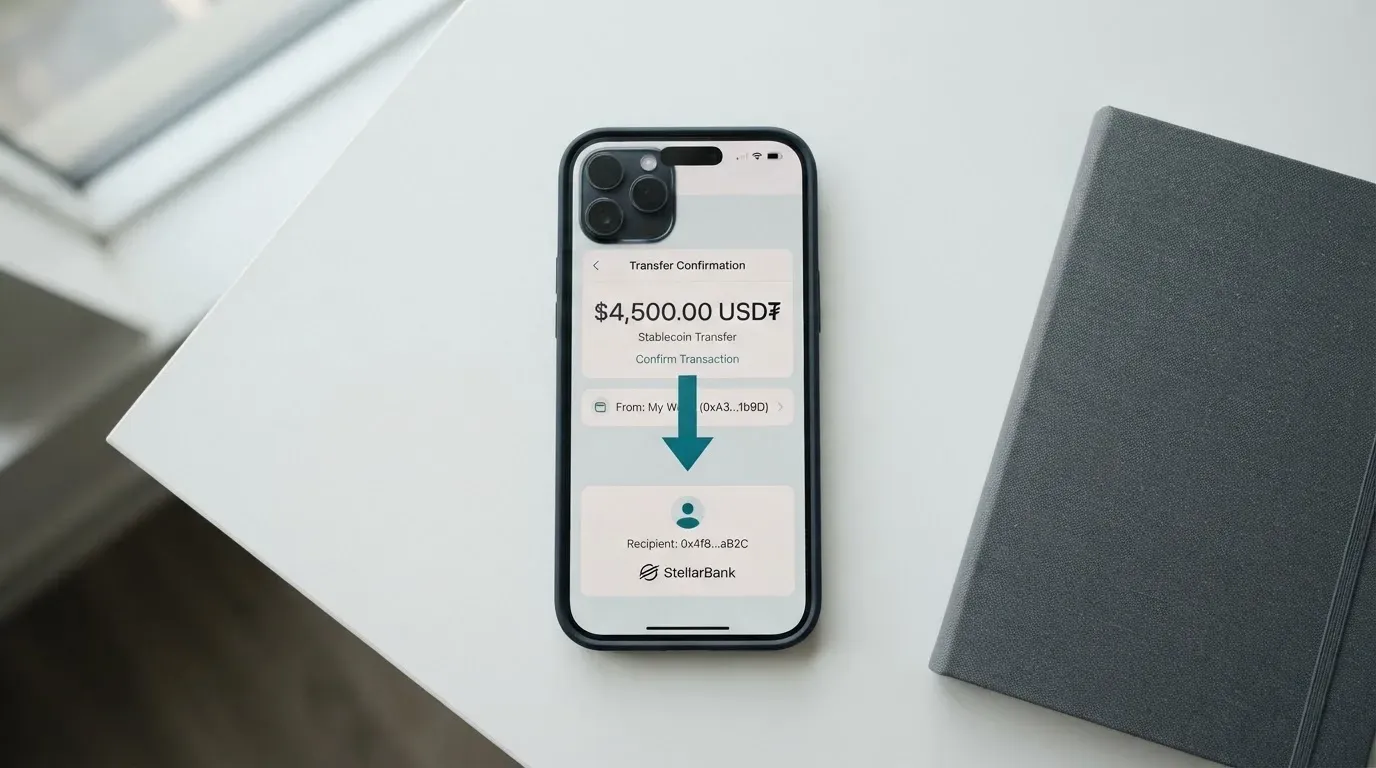
What you pay: 4% funding fee plus $1 processing, with a $10 minimum to create the card and a $1 minimum top-up afterwards. Network fees are not stated, and those are the blockchain’s to charge, not the card’s.
Getting money back out. The card says your balance “always stays yours” and does not describe a withdrawal feature. I want to be careful with that phrase. A balance you cannot convert back to crypto or fiat is not really “yours” in the practical sense. At the same time, it says transactions made using Kripicard are generally non-refundable once authorised, and that banking partners may close or suspend a card at their sole discretion and without prior notice — and may ask for more identity or source-of-funds documents before releasing balances. That last clause is the one to sit with. It is not a warning about anything wild; it is a warning that access to your own balance can depend on someone else’s paperwork.
Paying with it every day
Where it works: virtual Visa or Mastercard, debit or credit, across multiple BINs, and the three phone wallets — Apple Pay, Google Pay and Samsung Pay — via a device-specific token. For online and app spending, that is a normal life.
Where it does not: no app yet. The footer says mobile apps for iOS and Android are “launching soon”, so today you manage everything through a web dashboard. Some third-party sources say Apple Pay is not supported; Kripicard lists it as supported and its own tables say so, so believe the card — but if the phone wallet is the whole point for you, this is exactly the kind of detail to test before you commit. The card also does not promise acceptance everywhere: it says it does not guarantee acceptance at all merchants or services, and does not list which categories are blocked.
No cashback is mentioned anywhere. Support is English only, and hours are not stated even though the marketing copy says “around the clock”. For disputes you have ten days from the transaction to report an unauthorised charge by email or dashboard ticket.
Here is what a normal week looks like in practice. You load money once, you pay for things online and in apps through your phone wallet, and you top up again when the balance runs low — paying the 4% and $1 each time you do. You never touch an ATM. You check the balance on a web page rather than an app. And if a charge goes wrong, you have ten days to notice it and a partner institution’s discretion over what happens next. For online spending that is workable. For a card you reach for at a shop till, it is not.
What can go wrong
This is the section that moved my score, so I will put it plainly.
A deposit that arrived and did not count. The most serious report I found: a user says a 22.58 USDT deposit was confirmed on-chain, then rejected by Kripicard; the ticket and Telegram went unanswered, and there was no refund. Another review reports losing $30. A third describes a card that was never generated after a server error on a 50 USDT payment. Kripicard’s replies cite automated security and network validation rejecting deposits. That is exactly the failure mode you cannot fix yourself: the money left your wallet, the network confirmed it, and the decision not to credit it was made by software.
Support that goes quiet. The public contacts are Telegram @RaulGG69 for customer support, @kripidev for platform issues, the emails [email protected] and [email protected], and dashboard tickets, which the card says it prioritises over email. English only; hours not stated.
Nobody to escalate to. The card is issued by licensed partners in its own jurisdictions, but the issuer is unnamed. The company is not a bank and not a payment network. When something goes wrong you are negotiating with a programme manager, and the person who can freeze or close the account is somebody you never see.
Blocks and closures. Aggregators report cards blocked often — balance mismatches, some merchants declining, a replacement card at $15, payments taken before a card arrived, refunds or balances held beyond the stated times. Banking partners may close or suspend cards at their sole discretion without notice.
Your money, but not your keys — and not your recovery. Kripicard says it never takes custody of your on-chain wallet or private keys, and it has two-factor authentication on every account, 3-D Secure 2, instant freeze from the dashboard and 24/7 automated monitoring. That is a good list. It does not change the two things that matter most: the network cannot reverse a transfer, and Kripicard says it is not liable for bank-imposed freezes — it will make good-faith efforts to help recover funds. Insurance is not stated.
A narrow dispute window, and limited recourse. Ten days to report an unauthorised charge. Transactions are non-refundable once authorised. Chargebacks and freezes imposed by banking partners are excluded from Kripicard’s liability. You cannot assume the chargeback protection you would have from a normal bank card.
Small sample, honest caveat. The Trustpilot figure — 2.9 from four reviews, read on 2026-10-20 — is a very small sample, and four reviews cannot prove a pattern. I weight it because of *what* it contains, not how much of it there is: a confirmed deposit, no answer, no refund.
One background fact worth keeping in view, since it explains why this matters more for crypto than for fiat spending: blockchain transfers are irreversible. A card payment can be disputed and reversed by an issuer; a crypto transfer cannot.
What to take instead
If the coin choice is not your reason, the comparison is not close. Here is where the three strongest alternatives stand, on the same questions.
| Kripicard | Bitrefill | UPay | Kemy | |
|---|---|---|---|---|
| Score | 5.5 / 10 | 6.8 / 10 | 6.1 / 10 | 6.0 / 10 |
| Cost | Premium: $5 issue, $0/month, 0.00% FX, 4% funding + $1 | Free through the app; amounts not stated; inactivity fee after 12 months | Not stated | Virtual: $15 issue (3 years), $2/month. Physical: $250 issue incl. DHL, $10/month |
| Extra fees | 4% funding + $1 | Deposit spread; SEPA pay-in 1.99%; processor/ATM spreads | Conversion may occur at payment | Virtual: top-up $1.5 under $100 or 1.25% from $100 (min $5); transaction 3.5% + $1; failed $0.80. Physical: same top-up, failed $0.80 |
| Coins | USDT, USDC, BTC, ETH, SOL, BNB, TRX, TON, LTC, DOGE, XMR | Bitcoin, Lightning, Ethereum, USDC, USDT, Solana, BASE, Polygon, Li.Finance, Apple Pay, Google Pay, Visa, MasterCard; SEPA | BTC, ETH, USDT, USDC | USDT, USDC on main networks, plus BTC, ETH, SOL; fiat via mobile money and virtual bank accounts |
| Cashback | Not stated | 2% total, “no cap”: 1% per crypto deposit, 1% per purchase | Not stated on card page | Not mentioned |
| Reach | 190+ countries; sanctioned jurisdictions not supported | Country list not stated; eligibility set by partners | Says 180+ countries; KYC partner accepts only IDs from the same country as the user | 190+ countries, “a few restrictions apply” |
Reading across it, two things stand out. Bitrefill scores highest, and it is the only one of the four with a stated cashback and a card its page calls free — but its eligibility is set by partners and its country list is not published, so reach is the open question. Kripicard’s weakness against all three is the 4%-plus-$1 funding fee; by comparison Kemy charges a flat $1.5 or 1.25% to top up, and Bitrefill’s SEPA route is a fixed 1.99%. If you top up often, that difference compounds.
Where Kripicard genuinely wins is breadth: it is the only one of the four naming the long tail of coins and networks — Solana, TON, BNB Chain, DOGE, XMR and others. If you hold something outside the two stablecoins and want to spend it directly, that is the argument for Kripicard. Everything else — the trust risk, the fee, the missing app — is where the alternatives are ahead.
Two caveats on this table. UPay’s cost and fees are not stated at all, which is itself a reason to be careful. And Kemy’s pricing page conflicts with itself on the main-account deposit fee — 8% in one summary, 5% in a section. Neither is a card I would switch to on fees alone.
Who I would recommend it to
Recommend it if you already hold crypto, you want to choose the coin and network yourself, you spend mainly online or through Apple Pay or Google Pay, you are comfortable with a virtual card and a web dashboard instead of an app, and — the real condition — you keep the amount you leave on the card modest, because you accept that recovering it depends on a private company and an unnamed banking partner.
Do not recommend it if you need a physical card or an ATM, you need an app on day one, you are moving money through it regularly enough that 4% plus $1 hurts, you want bank deposit-style protections or chargeback rights you can rely on, or any part of your plan depends on getting a disputed deposit back quickly.
My honest summary: Kripicard solves coin flexibility better than it solves trust. The mechanics are fine, the fee is high, the disclosure is patchy, and the complaint record — small as it is — describes precisely the scenario that turns a convenience card into a lost deposit. If that risk is one you can price and accept, the card works. If it is one you cannot, a card with clearer fees and a longer track record is the better bet, and there are several in the comparison above.
Frequently asked questions
What is Kripicard?
Kripicard is a financial technology platform, not a bank, that converts crypto into a fiat balance and issues a virtual Visa or Mastercard against it. Cards are issued by licensed partners in their own jurisdictions, but the issuer is not named. You spend the balance wherever Visa or Mastercard is accepted, through virtual card numbers or your phone wallet.
How does Kripicard card work?
You top up with crypto, the platform converts it into a spendable balance, and the virtual card draws on that balance like a prepaid card. Payments route through Visa or Mastercard exactly as an ordinary card would. Because it behaves like a prepaid card, the balance cannot be overdrawn — you can only spend what you have loaded.
Is Kripicard a bank?
No. Kripicard describes itself as a financial technology company and technology platform, not a bank or payment network. The actual card programme sits with licensed issuing partners, unnamed on the pages I reviewed. That distinction matters when something goes wrong: you are dealing with a company and its partners, not with a regulated bank whose protections you can invoke.
Who owns Kripicard?
The public pages I reviewed do not say who owns it. They list addresses in Rio de Janeiro, Brazil and Dover, Delaware, USA, and say the company replies to complaints with automated security and network validation explanations. Ownership structure is not stated, so I cannot tell you who is behind it or how large it is.
Does Kripicard card require KYC?
Kripicard says it runs identity verification, sanctions screening, and AML/CFT monitoring with regulated partners, plus no credit checks. It does not state which documents, proof of address, or age are required, and describes no verification tiers. Some third-party sources claim email-only verification for a “Gold Tier”; that is unofficial and conflicts with the card’s own wording.
Is Kripicard card free?
Partly. The Premium tier has $0 monthly fee, $5 issuance and 0.00% FX. But funding costs 4% plus $1 processing, which is the fee you actually feel on every top-up. An unofficial “Gold Tier” listing quotes $3 issuance, $1.5 monthly and 1% FX — different numbers, and not from the card.
How do I top up Kripicard card?
You send crypto from your own wallet, in USDT, USDC, BTC, ETH, SOL, BNB, TRX, TON, LTC, DOGE or XMR, over networks including Ethereum, Tron, BNB Chain, Solana, TON and Bitcoin. The minimum to create a card is $10, and $1 thereafter. Fees are 4% plus $1, on top of the blockchain’s own network fee.
Where can I use Kripicard card?
Anywhere Visa or Mastercard is accepted, subject to what the card does not guarantee: Kripicard explicitly says it does not guarantee acceptance at all merchants or services and does not list blocked categories. You can also add it to Apple Pay, Google Pay or Samsung Pay. Some merchants decline prepaid or foreign-issued cards based on the issuer lookup, so occasional declines are normal for this type of card.
Is Kripicard card safe?
Security features are reasonable — two-factor authentication, 3-D Secure 2, instant freeze, monitoring, and Kripicard says it never takes custody of your wallet or private keys. But the real risk is not hacking, it is trust: the issuer is unnamed, banking partners may freeze or close accounts at their own discretion, Kripicard is not liable for bank-imposed freezes, and a Trustpilot report describes a confirmed on-chain deposit that was rejected without refund.
Is Kripicard card worth it?
Worth it if you want to spend the exact coin you hold, on the network you choose, and you can keep the balance small and accept the recovery risk. Not worth it if you top up often — 4% plus $1 each time adds up — or if you need a physical card, an app, an ATM, or chargeback protection you can rely on. The alternatives score higher, mostly on clearer fees and a longer record.
Virtual cards – cryptocardsranked
Content created by the «cryptocardsranked» team