
Kemy Card Review: What It Costs and Whether You Should Trust It With Your Spending
 Available in US
The Kemy card is one of those crypto cards that promise to solve a real problem for a lot of people: how do you spend crypto if you can’t get, or don’t want, an ordinary bank card? On paper, Kemy looks unusually capable — unlimited virtual cards, a physical Mastercard, Apple Pay, and coverage claimed across more than 190 countries. In practice, though, the picture that emerges from the fees, the unnamed banking partners and the small number of public reviews is a card with genuine strengths weighed against real costs and unanswered questions. I went through the card’s own terms and reports to give you a straight verdict.
The conditions described here are current as of October 28, 2026.
Let me walk you through it the way I went through it: who gets the card, how you sign up, what it actually costs you, how you fund it, how it behaves day to day, what can go wrong, and what the alternatives are. Then I’ll tell you who I’d hand it to.
The verdict
Kemy scores 6.0 out of 10 in my assessment. That’s a middling pass — a card with more going for it than a typical crypto card, but dragged down by two things a well-run card usually gets right: the cost structure and the thin public track record.
Who does it suit? If you need to hold many virtual cards on a single account — think online subscriptions, ad platforms, a lot of small payments from separate card numbers — the unlimited virtual cards are a genuinely attractive feature almost nobody else offers at this level. If you are comfortable with stablecoins and self-serve top-ups, and you don’t mind reading the fine print on fees, there’s a workable card here.
Who does it not suit? If you want to spend large sums frequently, the fees will hurt. If you want a named, established bank behind your money, the partners are not disclosed. If you need strong consumer protections and clear chargeback handling, the terms are thin. And if you’re looking for cashback or rewards, there are none mentioned. In short: it’s a power-user tool, not a set-and-forget everyday card.
Here is how I broke the score down.
| Criterion | Mark | Why |
|---|---|---|
| Who can get it | 9 / 10 | Claims “190+ countries”, though “a few restrictions apply” and the list isn’t named |
| Cost | 2 / 10 | Virtual: $15 issuance and $2/month, 3.5% + $1 transaction fee; physical: $250 issuance and $10/month, plus an 8% or 5% main-account deposit fee that the page contradicts itself on |
| Top-up options | 7 / 10 | USDT and USDC “on the main networks” plus BTC, ETH, SOL via on/off ramp and fiat through mobile money and virtual bank accounts — but the specific networks aren’t named |
| Reliability and complaints | 4 / 10 | Not a bank, FinCEN-registered as MSB, banking partners unnamed; unofficially Trustpilot 2.5/5 from 4 reviews, CryptoSlate rates it 3.9 “Poor” |
| Everyday use | 9 / 10 | Unlimited virtual cards plus one physical Mastercard, Apple Pay, Google Pay and Samsung Pay, ATM withdrawals of $500 a day |
The total is 6.0 out of 10. Cost is where it loses the most ground; everyday use is where it shines.
Who will they give you the card?
The headline claim is access in “190+ countries”, with the important asterisk that “a few restrictions apply” and you check eligibility at sign-up. That is the whole of it — the restricted countries are not named, so you cannot read a list in advance to see whether you’re on it. Eligibility is decided when you try to register.
This is normal for the category, but it means there is a genuine question mark over citizenship- or residence-based exclusions. Remember that banks and card issuers almost always screen on citizenship and country of birth as well as country of address, not just where you live. So even if you live somewhere the card claims to support, your nationality could matter, and the card doesn’t tell you its rules in advance. The honest summary: broadly available on paper, quietly filtered in practice.
One thing worth knowing: pre-paid and debit cards are generally offered to adults 18 and over, and some issuers set higher limits on top. If you’re under 18, that’s the end of the road for now.
How to get it
Sign-up starts with identity checks. The card uses Sumsub for verification, with Veriff also named, and describes the process as taking two minutes on a phone. The documents themselves aren’t specified on the open pages; interestingly, the business pricing page lists a proof-of-address check priced at $1.80, which hints address documentation is part of the flow even though the consumer-facing page doesn’t spell it out.
There are no KYC tiers described — it’s verification, and limits may change based on your KYC level. The processing time and the reasons a verification might be rejected are not stated.
What you get once approved depends on which card you choose:
- Virtual cards — unlimited. Shown as Visa on the mockups. You can create as many as you like on the one account, which is the feature that sets Kemy apart for anyone juggling many subscriptions or ad accounts. Issued for $15, valid for three years.
- One physical Mastercard with contactless. One per user. Issued for $250 with DHL Express included, valid for three years.
Visa and Mastercard are accepted globally. The card currency is not stated anywhere I could find, unofficial or otherwise — amounts are shown in US dollars, but that’s the pricing, not a promise about what currency your card settles in. Keep that gap in mind; it can matter a lot when you’re spending abroad.
If you order the physical card, delivery is “within 5 to 15 business days, depending on country”. The specific country list for shipping and the cost of a replacement card are not stated.
What it really costs: Fees and limits
This is where the 2 out of 10 comes from, and it’s the section I’d read twice. Kemy isn’t cheap, and the pricing has some rough edges. Let me lay out the numbers as the card states them.

| Fee or limit | Virtual card | Physical card |
|---|---|---|
| Issuance | $15 (valid 3 years) | $250, DHL Express included (valid 3 years, 1 card per user) |
| Monthly fee | $2 | $10 |
| Transaction fee | 3.5% + $1 | not separately listed |
| Failed transaction fee | $0.80 | $0.80 |
| Top-up fee | $1.5 under $100, or 1.25% from $100 (min $5) | same structure (min $10) |
| Main-account deposit fee | page conflicts: 8% in one place, 5% in another | same page conflict |
| ATM withdrawal | not applicable | $500 per day, $15,000 per month (fee not stated) |
| Balance limit | up to $100,000 | up to $400,000 |
| Per-transaction limit | $10,000 | $25,000 |
| Daily spend limit | not stated | $50,000 |
A couple of things jump out. First, that 3.5% + $1 transaction fee on the virtual card is steep for routine spending — do the arithmetic on your own purchases before you commit. Second, the main-account deposit fee is contradictory: the summary shows 8% while a section and the pricing FAQ say 5%. That 5–8% cut on top-up is the single biggest cost a regular user would pay, and the card’s own page disagrees with itself about how big it is. Third, there’s no foreign-exchange fee listed for the physical card, and the card currency isn’t stated — both gaps that could hurt you when spending abroad. The ATM withdrawal fee isn’t stated either.
There are only two card types — virtual (unlimited) and physical (one per user, priority support included). There are no consumer tiers. The pricing page doesn’t separate consumer from business pricing. (Separate API plans — Decouverte, Starter, Business, Premium — exist, but that’s a different product for developers.)
Now, what does this mean in practice for a few everyday payments? Take a virtual card. For a subscription, 3.5% is the transaction fee, plus $1, so that’s the cost before the top-up charge, and then the top-up itself costs $1.5 if it’s under $100. A $100 top-up and a $50 purchase on the virtual card: the top-up is 1.25% of $100 = $1.25, and the purchase adds 3.5% of $50 = $1.75 plus $1, so $2.75. Add the main-account deposit fee on the crypto you converted to fund it — somewhere between 5% and 8%, depending on which figure the card actually charges — and the cost climbs quickly. For the physical Mastercard, the monthly fee alone is $10, so it only makes sense if you’ll actually use it and can factor in the ATM withdrawal terms.
The takeaway: Kemy is not a low-fee card. It’s priced more like a tool than a daily debit card, and the top-up and deposit fees are where the real cost hides.
How to Top up the card
You can fund the card in a few ways:
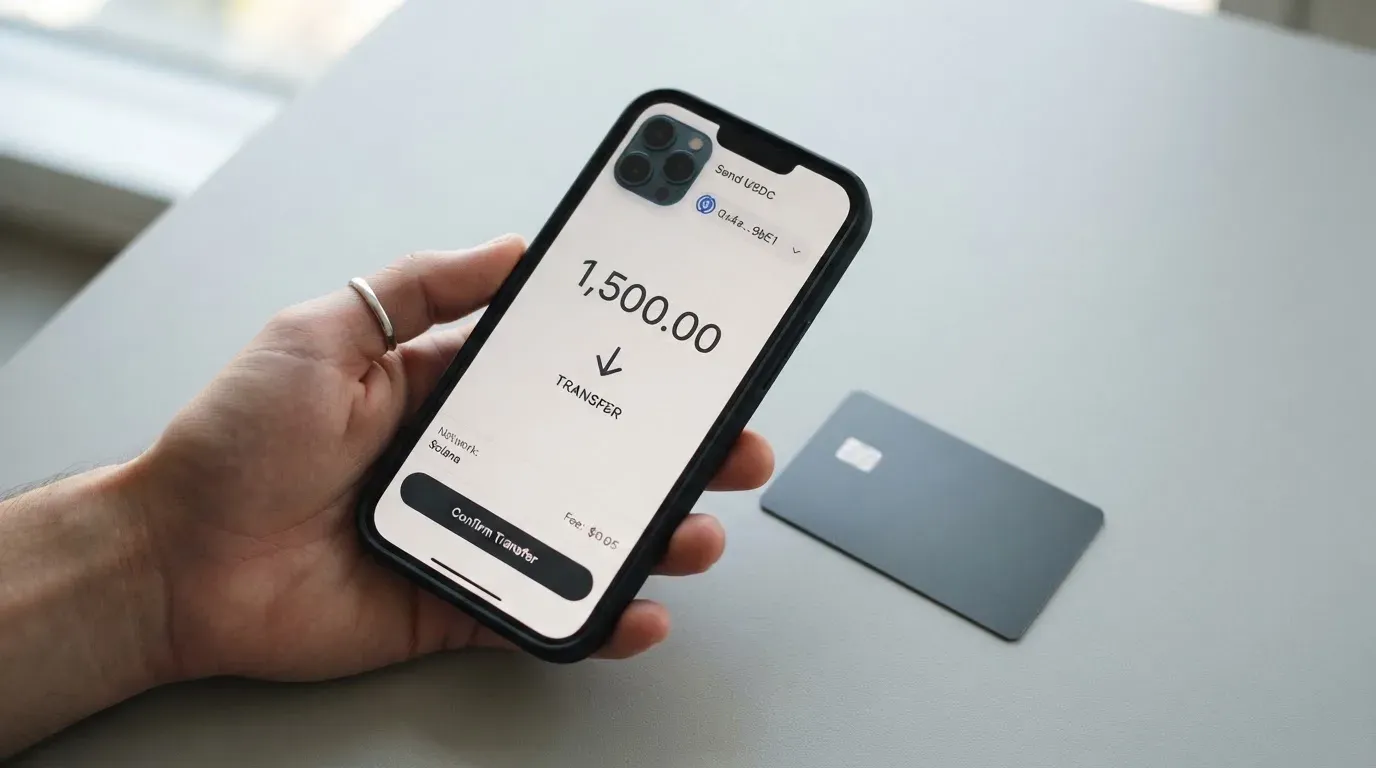
- USDT and USDC “on the main networks” — the specific chains aren’t named on the open pages, which is the important detail to watch.
- BTC, ETH and SOL through the on/off ramp.
- Fiat via mobile money and virtual bank accounts.
The top-up fee is $1.5 for amounts under $100, or 1.25% from $100 up, with a $5 minimum on the virtual card and $10 on the physical. Account creation is free. Separately, the main-account deposit fee — charged when you deposit crypto or mobile money into your account — is where the 5%/8% conflict lives. Unofficially, the widely-reported figure is that 8% is deducted from every deposit, but I want to be straight with you: the official page itself is inconsistent, showing both 8% and 5%, so I can’t confirm which you’ll be charged. Plan for the worse of the two.
This is the practical bit most people get wrong: “on the main networks” is doing a lot of work. If you send stablecoins on a network the card doesn’t support, or to the wrong address, the funds can be lost or need manual support recovery with no guarantee — blockchain transfers are irreversible. Card networks vary too: Circle, for example, lists USDC as natively supported on 38 networks, so “USDC” alone doesn’t tell you where to send it. Confirm the exact network for your coin before you transfer, every time.
On the way out, you can withdraw crypto to a wallet on any chain. Bank payouts run $25 to $2,499 per transfer to US/European accounts, with withdrawal fees not specified — the FAQ openly admits these are variable network and admin fees. Crypto-to-fiat pricing is “published at launch”. In the terms: termination requires one month’s notice and the balance-return terms aren’t stated; you cannot export stored data; and the account can be terminated after 18 months of non-use. So this isn’t a place to park money long-term.
Paying with it every day
This is the card’s strongest suit, and the reason it scores 9 out of 10 for everyday use. What you get day to day:
- Apple Pay, Google Pay and Samsung Pay — tap-to-pay on your phone is there, which matters more than it sounds.
- Unlimited virtual cards on one account, plus one physical Mastercard with contactless.
- ATM withdrawals on the physical card: $500 a day, $15,000 a month.
- Instant card controls — freeze, unfreeze or delete a card instantly from the dashboard. Useful if a card number leaks.
Against that: there is no app. No App Store or Google Play app was found on the site — you work through a web dashboard and a Telegram bot instead. The site interface is in roughly 30 languages and support is claimed 24/7, but if you live your life in apps, that’s an adjustment. The blocked-merchant list isn’t stated, and there’s no cashback mentioned — for a category where rewards are increasingly standard, that’s a missed opportunity.
How crypto cards work day to day, so the mechanics aren’t a surprise: a crypto card usually behaves like a pre-paid card. You convert or top up a balance, and the card spends only that balance, so it can’t overdraw. Behind the scenes, the card network (Visa or Mastercard) routes the payment and sets the rules, a licensed issuer holds the card programme, and the crypto brand is often just the front-end that markets it. A few things can interrupt a payment: a declined authorization can leave a hold on your funds for several days; some merchants decline pre-paid or foreign cards because the BIN lookup reveals the issuer and country; and address-verification checks, which are mainly a US/Canada/UK thing, are generally unavailable on foreign-issued cards and can cause declines.
If something goes wrong on a purchase: claims must be reported in writing within two months of discovery, payments are non-refundable because the service activates immediately, and chargebacks aren’t addressed. US law and US courts apply. The failed-transaction fee is $0.80.
What can go wrong
This is the section that took the score from “promising” to “6.0”. Four risks deserve your attention.
The banking partners aren’t named. Kemy states plainly that “KemyCard is a fintech company, not a bank.” Cards are issued by “authorized banking partners” — under Visa U.S.A. and Mastercard International licences — but those partners are never disclosed. Unofficially, the operator is listed as a Delaware entity with no issuing bank revealed. When you can’t see who’s behind the card, you can’t fully assess who holds your money. The card says funds sit “in segregated accounts with regulated institutions” and claims regular audits, but the exact custody model isn’t spelled out and insurance isn’t stated.
The public record is thin and not flattering. A user-reported aggregator (cryptocards.so — small sample, unverified) shows Trustpilot at 2.5 out of 5 from just 4 reviews, with complaints about delayed applications, failed withdrawals, unanswered support and scam warnings; one user flagged the absence of 3-D Secure. There is praise for fast sign-up in the same breath. A separate review at CryptoSlate rates it 3.9 (“Poor”), flagging the 8% deposit deduction, the lack of a named issuing bank, undisclosed owners, and inconsistent KYC claims (“No KYC” on one page versus full e-KYC on another). I should be honest about the limits of this: no Reddit threads or Trustpilot page for the main domain were found when I re-checked, and the Trustpilot figure is unverified — four reviews is a very small sample. There are no dated official incidents on record, but the official FAQ’s admission of variable network and admin fees on external withdrawals is a real caveat.
Reliance on Visa and Mastercard. The networks themselves don’t issue crypto cards to consumers — they license issuers and can suspend a programme. History shows how abruptly that ends things: Visa terminated its global agreements with FTX in November 2022 and the FTX debit card was wound down, and WaveCrest, a card issuer that supplied crypto brands, was suspended by Visa in Europe in 2018, closing all its Visa programmes. Programme closures typically stop spending and loading, then ask users to withdraw remaining balances. This is background on how the category works, not a prediction about Kemy, but it’s the risk you accept by using any card in this space.
Account and access risk. With identity verification and limits that shift with KYC level, an account can be frozen pending documents — EU rules require institutions to refrain from the transaction or end the relationship when due diligence can’t be completed. And because there’s no app and much of the interface runs through Telegram, a support or access problem can leave you dependent on channels you don’t control.
On the positive side, the security features that are stated are reasonable: two-factor authentication and device biometric login, instant card freeze/unfreeze/delete, real-time AML transaction monitoring, and card data encrypted with AES-256. Standard industry safeguards like 3-D Secure confirmation aren’t clearly evidenced for this card, which the user report also flagged.
What to take instead
If Kemy appeals to you, these are the other cards I looked at, so you can compare like with like.
| Kemy | Bitrefill | UPay | Tevau | |
|---|---|---|---|---|
| Score | 6.0 | 6.8 | 6.1 | 6.0 |
| Cost transparency | Costs stated but page self-contradictory on deposit fee | Page says card is free via app; exact fees not stated | Not stated | Not stated (unofficial) |
| Key fee | 3.5% + $1 per transaction (virtual); 5–8% deposit fee (conflict) | Deposit spread on crypto-to-euro (unstated); SEPA pay-in 1.99% | Not stated; conversion may occur at payment | 1% to move USDT to balance (unofficial) |
| Rewards | None mentioned | 2% cashback, no cap (1% deposit, 1% purchase) | No cashback stated | Not mentioned (unofficial) |
| Card | Unlimited virtual + one physical Mastercard | Virtual & physical Visa | Virtual & physical, personal & business | Virtual, Plastic, Metal, 24K Gold (unofficial) |
A few quick notes on the alternatives. Bitrefill (6.8) is the highest-scoring of the group and the one with the clearest reward on offer — 2% cashback with no cap, split 1% on crypto deposits and 1% on purchases. Its card is virtual or physical Visa, its terms leave card currency implicitly euros, and there is an inactivity fee after 12 months without spending or cash-out. Eligibility is “subject to eligibility criteria” set by its partners rather than a published country list.
UPay (6.1) offers virtual and physical cards in personal and business flavours, converts payments to USD, EUR, AED and others, and tops up from BTC, ETH, USDT or USDC. Its costs and cashback aren’t stated, and its KYC partner only accepts ID documents issued by the same country as yours — worth knowing if you hold a passport from elsewhere.
Tevau (6.0) is the one to treat most cautiously: nearly everything material about it comes from an independent information site (tevau.co), not the company itself, and that site is explicit that it isn’t Tevau. Unofficial figures are card prices of $20 virtual, $100 plastic, $199 metal and $499 24K gold, 1% to move deposited USDT onto the card balance, and “200+ countries” with region-varying availability.
If the deciding factor for you is cashback or a transparent, low headline cost, Bitrefill looks stronger on paper. If it’s unlimited virtual cards, Kemy still holds that ground. None of these is a bank-deposit substitute.
Who I would recommend it to
I’d recommend the Kemy card to you if all of these are true: you can’t get or don’t want an ordinary bank card and need a crypto-funded one quickly; you have several subscriptions or ad accounts that each need their own virtual card number; you’re comfortable holding and moving stablecoins yourself and reading the network before you transfer; and you won’t be spending large sums often enough for the 3.5% + $1 fee to dominate your budget.
I’d steer you away if any of these apply: you need a named bank you can hold accountable for your money; you want cashback or any rewards; you need strong, clear chargeback and consumer protection handling, which these terms don’t give you; you spend heavily, where the fee and the unclear 5–8% deposit charge would eat you alive; or you need a mobile app more than a web dashboard and Telegram bot.
Before you commit, do two things: work out your own realistic monthly volume and apply the 3.5% + $1 fee and the deposit percentage to it, and confirm exactly which network and address your chosen coin must be sent on. Those two steps will tell you more than any review, including this one.
Frequently asked questions
What is the Kemy card?
Kemy is a crypto payment card that lets you spend from a stablecoin-funded balance. You get unlimited virtual cards and one physical Mastercard, both accepted globally, plus Apple Pay, Google Pay and Samsung Pay. KemyCard describes itself as a fintech company, not a bank; the cards are issued by unnamed authorised banking partners. Account creation is free, but spending carries fees.
How does the Kemy card work?
You top up with USDT, USDC, BTC, ETH or SOL, or with fiat through mobile money and virtual bank accounts, then spend from the stored balance like a pre-paid card. The card cannot overdraw. Payments run through Visa or Mastercard, with a 3.5% + $1 transaction fee on virtual cards and a deposit fee the card’s own page puts at either 5% or 8%.
Is Kemy a bank?
No — the card states “KemyCard is a fintech company, not a bank.” It’s registered as a Money Services Business with FinCEN in the US, and the actual card issuing is done by “authorized banking partners” that are never named. Unofficially, the operator is listed as a Delaware entity with no issuing bank disclosed, so you can’t verify who ultimately holds your funds.
Who owns Kemy?
The public pages don’t name owners. A CryptoSlate review flags undisclosed owners as one of its concerns alongside the unnamed issuing bank. The company is registered as a FinCEN Money Services Business in the US, and the card is issued under Visa U.S.A. and Mastercard International licences, but no parent entity or beneficial owners are stated on the open pages.
Does the Kemy card require KYC?
Yes. Identity verification runs through Sumsub (with Veriff also named) and takes two minutes on a phone. The business pricing page lists a proof-of-address check at $1.80, though the consumer page doesn’t name the documents. There are no KYC tiers described, but your limits may change with your verification level.
How much does a Kemy card cost?
A virtual card is $15 to issue (valid three years) plus $2 a month, with a 3.5% + $1 fee per transaction. The physical Mastercard is $250 to issue with DHL Express included (valid three years, one per user) plus $10 a month. Failed transactions cost $0.80, top-ups are $1.5 under $100 or 1.25% above, and the main-account deposit fee is shown as 8% in one place and 5% in another.
How do I top up the Kemy card?
Send USDT or USDC “on the main networks”, or use BTC, ETH or SOL through the on/off ramp; you can also fund by fiat through mobile money and virtual bank accounts. Top-ups cost $1.5 under $100 or 1.25% from $100, minimum $5 virtual or $10 physical. The main detail to get right is the network — sending on an unsupported one can lose the funds, since blockchain transfers are irreversible.
Is the Kemy card safe?
It’s a fintech, not a bank, with unnamed banking partners, so you’re trusting a private company’s handling of your money rather than an established institution. Stated safeguards include 2FA, device biometrics, instant card freeze, AES-256 card-data encryption and real-time AML monitoring; 3-D Secure isn’t clearly evidenced. An unverified aggregator report cites Trustpilot 2.5/5 from 4 reviews, and CryptoSlate rates it 3.9 “Poor” — thin, but not flattering.
Can I use the Kemy card in my country?
The card claims access in “190+ countries” with “a few restrictions apply”, but the restricted list is not published — eligibility is checked at sign-up. Since issuers also screen on citizenship and country of birth, not just residence, living in a supported country may not be enough on its own. The honest answer is: broadly open on paper, quietly filtered, and you’ll only know for certain when you register.
Is the Kemy card worth it?
It depends on what you need. The unlimited virtual cards and mobile wallets are genuinely useful if you run many subscriptions or ad accounts, and the everyday-use score is high. But the 3.5% + $1 transaction fee, the unclear 5–8% deposit fee, no cashback, no app and no named bank make it a poor fit for heavy spenders or anyone wanting consumer-grade protections.
Virtual cards – cryptocardsranked
Content created by the «cryptocardsranked» team