
LinkPay promises cheap crypto cards for everyone. The price list tells a more complicated story.
 Available in US
LinkPay is a virtual card service aimed squarely at people who cannot get an ordinary bank card to work — and at anyone who wants to spend a crypto balance without waiting for an exchange to convert it. On paper it looks generous: cards on Visa and Mastercard networks, no verification tier that still lets you spend, plans starting at nothing, cashback on the upper tiers. I went through the company’s own pages, its terms and its app listings, then the complaint record, and the picture that comes out is more mixed than the marketing. The headline number: 5.0 out of 10.
My verdict up front, before the details. If you are a non-Russian advertiser or a small team that needs *many* virtual cards — a dozen or more, for ad platforms, subscriptions and testing — the subscription structure is genuinely built for that, and no rival on this page does it as directly. If you want a physical card, cash from an ATM, or Apple Pay and Google Pay today, this is the wrong product. If you are reading the fee table and thinking about the size of the deposit, read the withdrawal section first: the two sets of published numbers do not agree, and that is not a small thing.
The conditions described here are current as of October 28, 2026.
Who will get the card, and who will not
The honest answer is: the company’s public pages do not lay out a plain eligibility list, so most of what circulates about LinkPay’s availability comes from third parties rather than from LinkPay itself.
What is official is the restricted side. LinkPay states that the service is not provided in 27 listed countries, and the list includes the Russian Federation, Belarus, Hong Kong, the United States, Ukraine, Iran, Cuba, Syria and North Korea among others. LinkPay calls that list “not exhaustive”. Its terms go further than residence: they bar residents and citizens of the listed countries, and separately state that US citizens, permanent residents and US entities cannot open accounts at all. That last part is broader than a country block — a US citizen living in Dubai or Lisbon is caught by the citizenship clause, not the address clause. If that is you, the answer is no, and no plan tier changes it.
Everything on the other side of that line is UNOFFICIAL. Third-party sites say the card is available in 168 countries with 28 restricted, and one of them, dated 11 August 2026, notes that China appears on the map graphic but not in the body text, and lists Russia as restricted. Treat all of it as orientation, not as confirmation by the card. The company’s own “Certain Countries” page exists but I have not read its contents, so I am not going to paraphrase what it says.
The wider reason a card like this is fussy about your nationality is worth understanding before you get annoyed by it. Identity checks in this industry record nationality and screen it separately from where you live, because sanctions screening and issuer risk policy are applied to citizenship and country of birth as well as to address. A card that would be routine in one country can be refused in another for reasons that have nothing to do with you personally. And if due diligence cannot be completed, the rules require the institution to withhold the transaction or relationship rather than proceed — which is exactly why accounts get closed or frozen pending documents, everywhere in this industry, not only here.
How to get it
The short version: register, pick a verification level, issue cards from the dashboard. The card you get is virtual only — the page advertises a “Virtual card for all purchases” and does not offer a physical one. Cards run on Visa or Mastercard networks; which of the two you get, and in which currency, is not stated anywhere on the page. USD cards are described in the FAQ as “planned to release soon”, and no FX fee is stated either, which matters the moment you spend outside a dollar zone.
There is no delivery to wait for. Everything happens in the app and in the dashboard, and the plan tiers differ mostly in how many cards you get and how many people you can seat on the team.
Verification is where the practical differences sit, and there are three levels:
| Level | What you get | Monthly spend | What it needs |
|---|---|---|---|
| No verification | Advertising cards only | $500 | Nothing beyond signup |
| Basic | All cards except Apple Pay and Google Pay | $2,000 | Full name, address, ID details |
| Full verification | No spend or card-type limits | Unlimited | Valid ID photo and live check |
Two practical notes. First, at No verification the card is explicitly limited to advertising cards only — not general spending, so this tier is for ad platforms and nothing else. Second, the page says verification is generally completed within 24 hours, but also that it can take longer, and that rejected documents can go to manual review. The only stated rejection reason is “valid documents with clear photos”. That gap between “24 hours” and “manual review, unstated timeline” is worth planning around if you have a deadline.
The identity requirements themselves are not described on the card page, which links to an anti-money-laundering page whose content is not shown. For orientation: in the EU, customer due diligence covers name, address, date of birth, nationality and identity documentation, a sanctions check, the purpose of the relationship, and whether you are a politically exposed person. In the US, the customer identification programme requires name, date of birth, address and an identification number. Card access in this category is generally for adults 18+, and some issuers set higher limits.
Fees: what it really costs
The headline numbers are: Lite free, Plus $59/month, Pro $179/month, Ultra $209/month, with 0, 5, 15 and 79 free cards per month. Lite’s per-card issue price is not stated.
Here is the full published set of fees, laid out side by side so you can see where the money actually goes:
| Fee or limit | Lite | Plus | Pro | Ultra |
|---|---|---|---|---|
| Monthly fee | Free | $59 | $179 | $209 |
| Free cards per month | 0 | 5 | 15 | 79 |
| Transaction fee | 2% (min $2) | 1.5% (min $1) | 1% (min $0) | 1% (min $0) |
| Decline fee | 2% | 1.5% | 1% | 1% |
| Deposit fee | 1% | 0.75% | Free | Free |
| Withdrawal fee | 3% (min $5) | 3% (min $5) | 2% (min $2) | 1% (min $1) |
| Cashback | 0% | 0% | 1% | 2% |
| Team members | 3 | 5 | 20 | 50 |
| Merchant accounts | 1 | 1 | 2 | 3 |
Read that table twice, because the second reading is where the decision gets made. On Lite, a transaction costs 2% with a $2 floor, and a *declined* transaction also costs 2% — so a payment that bounces costs you money and buys you nothing. On Pro and Ultra, cashback at 1% and 2% offsets the 1% transaction fee, in the best case. On Lite, 2% in and nothing back is the whole picture.
Three everyday payments, priced
A $12 lunch on Lite. The transaction fee would be $0.24, but the $2 minimum applies: $2. Add the 1% deposit fee on the top-up that funded it. This is the arithmetic that makes Lite a testing tier rather than a daily one.
A $60 subscription on Plus. The transaction fee is 1.5% of $60 = $0.90, which clears the $1 minimum, so $1 is charged. If the payment declines, the decline fee is 1.5% — $0.90 — for nothing. Two failed attempts and the subscription has cost you money before it has run once.
A $900 monthly software bill on Ultra. Transaction fee 1%, $9. Cashback at 2% is $18 back. On paper Ultra pays for itself on spending shaped like this; the catch is that the $209 monthly is buying you 79 free cards you may not use, and the currency the cashback is paid in is not stated.
The contradiction you must not skip
LinkPay’s terms publish a different table for several of these rows:
- Decline fee: the terms say 0.5% / 0.5% / 0.3% / free across the four plans. The home page says 2% / 1.5% / 1% / 1%.
- Deposit fee: the terms say 1% / 0.75% / 0.5% / free. The home page says 1% / 0.75% / free / free — so the two disagree at Pro.
- Withdrawal fee: the terms say free on all plans. The home page says 3% / 3% / 2% / 1% with dollar minimums.
- Ultra itself: the terms list Ultra at $299/month with 100 free cards, against $209 and 79 on the home page. The same terms also cap cashback at $179 per billing cycle for Pro and $299 for Ultra.
I am not going to guess which set governs. What I will say is that a 3% withdrawal fee with a $5 floor and a “free withdrawal” clause cannot both be true, and that whichever document a support agent opens on the day you try to move money out is the one that counts. Ask in writing before you fund the account, and keep the answer.
Two more limits worth knowing. ATM use is not applicable — the cards are virtual. Daily spend and monthly card-count limits are not stated on the page; monthly spend runs $500 / $2,000 / unlimited by verification tier, and users with more than 100 cards can request custom limits through support.
Top up: crypto only, and the network matters
The funding answer is short and it is the single most important operational fact on this page: crypto only. Fiat deposits and an on-ramp are described as “planned”, not available. The page advertises “Deposit options for 7+ digital currencies” without naming them; UNOFFICIAL, third-party sources name BTC and USDT and mention the TRC20 and BTC networks, and report no bank transfer. Do not treat that as confirmed by the card.
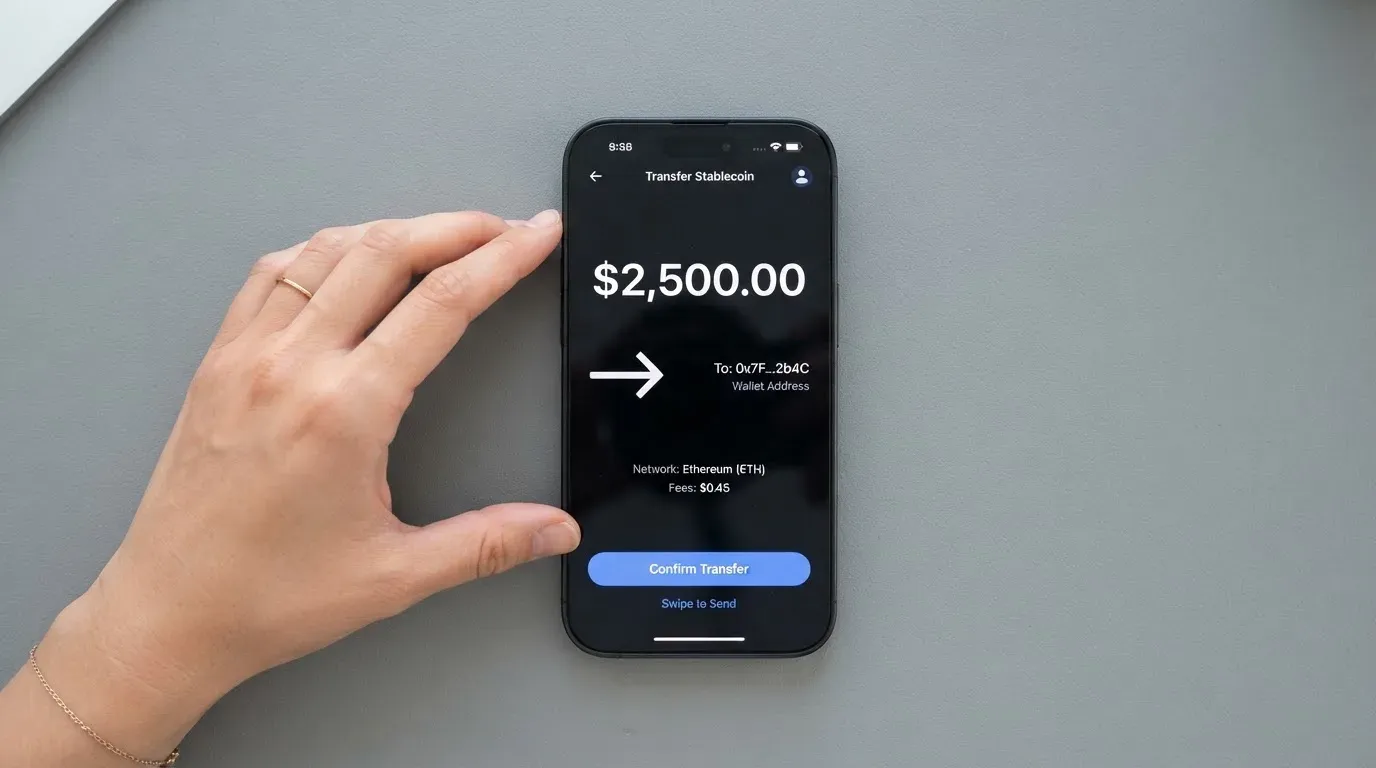
That UNOFFICIAL caveat is doing real work, because sending the wrong coin on the wrong network is the classic way to lose money here. Blockchain transfers are irreversible: a deposit sent on a network the provider does not support, or to an address belonging to another network, can be lost or need manual recovery with no guarantee attached. Two related traps: gas fees on your deposit are charged by the blockchain, not by the card company, so a wallet holding USDT but no ETH cannot send ERC-20 tokens at all; and Tron prices transactions with bandwidth and energy, often by burning TRX. Who pays the network fee for your deposit is not stated either.
There is an activation minimum to clear. The dashboard shows a minimum before issuance, usually around $15; below it, issuance fails. Confirmation times differ sharply by network: 20 confirmations for TRC20, from 4 for BTC — so a TRC20 deposit sits unconfirmed far longer.
One caution specific to the likely funding coin. USDT and USDC are dollar-pegged and together account for roughly 90% of stablecoin market capitalisation, per the BIS in July 2025, but the name overstates the guarantee: stablecoins can depeg, and did — TerraUSD collapsed in May 2022, and USDC briefly lost its peg in March 2023 during the US banking crisis. They are also not censorship-proof; Tether says it disables tokens in wallets on the OFAC sanctions list and has frozen funds tied to illicit activity. Circle separately stopped supporting USDC on Tron in February 2024, so “USDC over TRC20” is not a native option despite that network’s popularity.
Deposit fees follow the contradictory table above: 1% on Lite, 0.75% on Plus, and either free (home page) or 0.5% (terms) on Pro, free on Ultra.
Getting money back out
This is where the fee contradiction becomes expensive rather than theoretical.
The terms say withdrawals are requested from the Wallet, are processed during 10 working days, and carry a free withdrawal fee on all plans. The home page charges 3% (min $5), 3% (min $5), 2% (min $2) and 1% (min $1). Cashback cannot be withdrawn to a bank. If you close the account, remaining funds go to the payment details you specify, minus fees. Records are kept for 5 years.
Two more constraints that catch people out. You cannot withdraw from the platform directly to a LinkPay card. Transfers between users are internal peer-to-peer, keyed on the recipient’s email address.
The reason to care about all of this: in the customer complaints, withdrawals are the thing that goes wrong. Reports describe money stuck in “processing” for four weeks or more. The “10 working days” is a processing statement, not a promise of arrival, and it sits in the same document that says withdrawal is free.
Paying with it every day
The daily experience is narrow, and the shape of it is set by one fact: virtual cards only. No physical card means no contactless, no ATM, and nothing to show at a counter that wants to see plastic.
- Apple Pay and Google Pay: not available. They are described as “in final integration, will be available soon”, and they are excluded at Basic verification regardless. UNOFFICIAL, third-party sources conflict with each other — one page says selected virtual cards can be added, an FAQ says “coming soon”. Treat both as “not now”.
- Currency: USD cards are “planned to release soon”; no other currency and no FX fee are stated.
- Wallet support and blocked merchant categories: not stated. If your spending depends on a specific category, you will have to find out by trying.
- Apps: iOS and Android downloads plus a direct
.APK. Ratings are not shown on the company’s own site.
Cashback is the only everyday reward: 0% on Lite and Plus, 1% on Pro, 2% on Ultra. The marketing line says “2% cashback for all payments”, which is the Ultra figure rather than the general one. The payout currency is not stated.
When payments go sideways
The company does publish timing for the common failure cases, which is more than most in this category:
- Failed transactions with a pending authorisation: funds return in 5–10 minutes.
- Merchant refunds: usually within 4 weeks.
- Holds — the kind ad platforms place — usually 10–14 days.
- Top-ups to an unverified card are auto-cancelled, refunds in 2–14 business days.
- Top-ups to a verified card are non-refundable.
- Complaints are reviewed within 30 days.
- The customer is responsible for chargebacks and disputed transactions.
- There is no chargeback process described in the FAQ.
Read those two bolded lines together and you have the trap: verifying improves your limits but makes your deposits non-refundable, and if a payment is disputed the FAQ does not tell you what happens to the dispute. A chargeback is normally a refund the issuer orders to settle a dispute — fraud, duplicate billing, goods not received — and its absence here is a genuine gap, not a technicality. Consumer reversal rights differ by country: in the US, debit card rights come from Regulation E and credit card rights from Regulation Z, prepaid-card coverage varies and should not be assumed.
Two structural reasons a merchant can decline a card like this even when everything is set up correctly. A merchant can look up your card’s BIN and see which institution and country issued it; if that country differs from your billing address, the merchant may apply extra scrutiny, which is why a card issued in one country can look foreign to a shop in another. Some merchants decline prepaid or foreign BINs outright once the lookup reveals the card type. And address verification — which compares the numeric parts of the billing address you typed against issuer records — is mainly offered in the US, Canada and the UK and is generally unavailable for foreign-issued cards, which causes declines at checkout for no visible reason.
Most cards in this category behave like prepaid ones: crypto is converted and loaded as a fiat balance, and the card spends only that balance, so it cannot overdraw. A declined authorisation can still leave a hold on your funds for several days, typically up to seven.
What can go wrong
Three things, in descending order of how likely they are to matter to you.
The card can be frozen and the money can go with it. LinkPay is custodial: your balance sits in a Wallet the company controls, and the terms state that the Administrator may suspend all wallets without notice where there is suspicion or a violation, and that funds may be frozen during an investigation. The account locks after 3 failed login attempts. Freeze and unfreeze are available only on subscription or custom plans — so on Lite, a frozen card has no self-service route out. Insurance is not stated. The badges are GDPR, ISO and PCI DSS, which are real compliance marks but not a deposit guarantee.
The issuer is not named. This is the finding that should make a careful person slow down. A card number starts with a 6- or 8-digit BIN identifying the issuing institution, and LinkPay’s public pages do not name the issuer or BIN sponsor. What is stated: LinkPay is registered in Richmond, BC, Canada, with MSB registration M23039048. In this industry that registration is meaningful but narrow — US FinCEN guidance treats administrators and exchangers of convertible virtual currency as money transmitters, so being registered speaks to the money-transmitting side, not to who stands behind your card payments. For comparison, an EU electronic money institution must safeguard customer funds in dedicated accounts or insure them, and those funds are not bank deposits and may not sit under a deposit guarantee scheme. Nothing equivalent is stated here. In the EU the other half of the picture is MiCA: since its e-money-token provisions applied from 30 June 2024, such tokens may be issued only by a credit institution or an electronic money institution, and the transitional period for existing providers ran only until 1 July 2026 — which means a card like this often depends on two separate licences, one for the crypto side and one for the payment side.
The specific user reports: a card frozen before a transaction and reportedly unfrozen only after buying a paid plan; withdrawals stuck “processing” for 4+ weeks; waits of months to issue a card. The company’s replies cite security protocols and insufficient verification.
A competitor’s site, carrying no date and to be treated with caution, reports a related pattern: banking partner trouble froze cards and withdrawals during a move to a new partner, with waits of months. LinkPay itself has made no statement about any of this.
Keep it in proportion: the wider category has a bad history too. Visa terminated its global agreements with FTX on 13 November 2022 and the FTX US debit card was wound down; WaveCrest, a Visa issuer that supplied crypto card brands, was suspended by Visa in Europe in 2018, closing all its Visa programmes. Visa and Mastercard do not issue crypto cards to consumers themselves — they license issuers and can suspend a programme. Closures typically mean a notice period, then spending and loading stop, then you are asked to withdraw your balance. And custodial platforms have failed before: Mt. Gox (about US$350 million reported stolen, 2011–2014), Coincheck (about US$400 million, 2018), Ronin Network (US$625 million, 2022). Holding funds with a custodian carries counterparty and hack risk, and a stolen private key has no built-in recovery because the network cannot freeze or return funds.
Support is English, via a Telegram bot, email and live chat on the site.
One last note, given this card’s audience. Crypto is treated as property for tax purposes in the US, and exchanging it for goods or dollars generally produces a taxable gain or loss measured at the value on the transaction date — so each card payment funded from crypto may be a separate disposal. That is a matter for your own adviser, not this page, but it is the reason “I just spent it” and “I sold it” are not the same event.
What to take instead
I compared LinkPay against three alternatives from the same category, scored on the same basis. None is perfect, and two are cleaner on the things LinkPay struggles with most.
Bitrefill — 6.8 / 10. The most conventional of the three. Offers a virtual and physical Visa card, with the currency implied as EUR by the terms, since crypto deposits are converted to euros. The card is free through the app; issuance and monthly fee amounts are not stated, and an inactivity fee applies after 12 months without spending or cash-out, amount unstated. Fees: a spread on crypto-to-euro conversion (percentage not stated), SEPA pay-in fee 1.99%, spreads from payment processors and ATM operators on spending, FX fee not stated. Funding options are the broadest list here — Bitcoin, Lightning, Ethereum, USDC, USDT, Solana, Base, Polygon, Li.Finance, plus SEPA transfer per the terms. Rewards: 2% total cashback, no cap, split 1% on each crypto deposit and 1% on each purchase. Country list not stated; access is “subject to eligibility criteria” and to “further eligibility requirements, established and verified by our partners”.
UPay — 6.1 / 10. Virtual and physical, personal and business cards; network not named; payments convert to USD, EUR, AED and others. Costs and fees are not stated on the pages I saw, and the card page warns that conversion may occur during payment depending on network and settlement — a fee you cannot price in advance, which is its own problem. Funding: wallet top-up with BTC, ETH or USDT, USDC also listed, networks not stated. No cashback on the card page. Claims support in 180+ countries while saying it does not serve residents of certain countries, a list that may change with regulatory or issuer policy. One hard rule: its identity partner accepts only ID documents issued by the same country as the user — which excludes anyone whose passport and residence are in different countries.
Kemy — 6.0 / 10. The pricing is the most transparent of the three, which is worth something on its own. Available in 190+ countries with “a few restrictions apply”, checked at sign-up. Unlimited virtual cards (Visa shown on mockups) and one physical Mastercard with contactless, valid 3 years, one per user. Virtual: $15 issuance, $2/month. Physical: $250 issuance with DHL Express included, $10/month. Fees: virtual top-up $1.5 under $100 or 1.25% from $100 (min $5), transaction fee 3.5% + $1, failed transaction $0.80; physical top-up the same with min $10. No FX fee listed, and the main-account deposit fee appears as 8% in the summary but 5% in the section — LinkPay’s contradictions have competition. Funding: USDT and USDC “on the main networks” with chains unlisted, plus BTC, ETH and SOL via on/off ramp, and fiat via mobile money and virtual bank accounts. No cashback mentioned.
Here is the comparison in one view:
| LinkPay | Bitrefill | UPay | Kemy | |
|---|---|---|---|---|
| Score | 5.0 | 6.8 | 6.1 | 6.0 |
| Physical card | No | Yes | Yes | Yes (one) |
| Cards included | 0 / 5 / 15 / 79 | Not stated | Not stated | Unlimited virtual |
| Lowest monthly | Free | Free in app | Not stated | $2 |
| Cashback | 0–2% | 2%, no cap | None stated | None stated |
| Fiat top-up | Planned | SEPA 1.99% | Not stated | Mobile money, bank accounts |
| Transaction fee | 1–2% | Spread, % not stated | May apply at payment | 3.5% + $1 |
| Withdrawal fee | Free or 1–3% (contradiction) | Not stated | Not stated | Not stated |
If your priority is a card that behaves like a normal payment card, Bitrefill is the one to look at first: a physical option, free, 2% uncapped cashback, and a published SEPA fee. If you need plastic with contactless, Kemy is the only one here that prices it clearly. If your problem is specifically that you hold crypto and want to spend it without a bank in between, LinkPay’s tiered many-card structure is still unlike the others — but go in knowing what withdrawal actually costs, because right now nobody can tell you.
Who I would recommend it to
In the end this comes down to what you need the card for, so let me be blunt about the four cases.
I would recommend LinkPay to a non-Russian advertiser or agency running many ad-platform accounts that needs a large pool of virtual cards with team seats. The tiered card counts (0, 5, 15, 79, and 100 in the terms) and team limits (3, 5, 20, 50) exist for that, and 1–2% cashback on Pro and Ultra offsets the transaction fee when spending is heavy. If that is you, go to Pro, confirm the withdrawal fee in writing first, and keep balances lean, because withdrawals are where the complaints are.
I would not recommend it to anyone who needs a physical card, ATM access, or Apple Pay and Google Pay today. All three are absent, and two are described as “soon”.
I would be cautious for anyone whose whole plan depends on this card being reachable. An unnamed issuer, 2/5 on Trustpilot, reports of multi-week withdrawal delays, and terms giving the Administrator power to suspend all wallets without notice are not a foundation on which to keep your money. Use it for flow, not for storage.
I would skip it entirely if you are a US citizen, permanent resident or US entity, or a resident or citizen of any of the 27 listed countries. That is a policy wall, not a queue.
And if you are simply looking for a card that spends your crypto without drama, 5.0 out of 10 is really telling you two things at once: LinkPay is unusually good at the one thing it targets — lots of virtual cards on cheap tiers — and unusually unclear about everything else. Here is how the criteria actually broke down:
| Criterion | Mark | Why |
|---|---|---|
| Who can get it | 9 / 10 | Wide reach; 27 countries officially closed, list not exhaustive, and citizenship rules bite early |
| Cost | 3 / 10 | Free Lite is offset by a 2% fee with a $2 floor, and the site and the terms disagree |
| Top-up options | 7 / 10 | Crypto only, 7+ currencies, but no named coins or networks officially and no fiat |
| Reliability and complaints | 3 / 10 | Issuer unnamed, Trustpilot 2/5, reports of frozen cards and long withdrawal delays |
| Everyday use | 2 / 10 | Virtual only, no ATM, Apple Pay and Google Pay still “coming soon” |
| Total | 5.0 / 10 | Built for volume, uncertain on everything else |
Read your own row.
Frequently asked questions
What is LinkPay card?
LinkPay is a virtual payment card that spends a crypto balance converted to fiat. Cards run on Visa or Mastercard networks, are issued from the app or dashboard, and are virtual only — no physical plastic. Funding is crypto-only across 7+ digital currencies, with fiat deposits and an on-ramp described as planned. There are four subscription plans, from a free Lite tier to Ultra, differing in card counts, fees, cashback and team seats.
How does LinkPay card work?
You load crypto into a custodial Wallet, the balance converts, and the card spends that stored balance like a prepaid card — so it cannot overdraw. Card numbers start with a BIN identifying the issuing institution and country, which merchants can look up. Activation needs a minimum deposit shown in the dashboard before issuance, usually around $15; confirmations take 20 on TRC20 or from 4 on BTC. Note this is custodial: the provider holds the credentials.
Is LinkPay a bank, and who owns it?
No — LinkPay is not a bank. It is a card programme front-end and money-transmitting business registered in Richmond, BC, Canada, with MSB registration M23039048. The issuer or BIN sponsor is not stated on its public pages, which is a real gap. In practice the network routes the payment, a licensed issuer holds the programme, and LinkPay markets it. Ask at sign-up rather than assuming.
Who can get a LinkPay card?
Eligibility is not stated on the public pages, which link to a “Certain Countries” page I have not read. Officially the service is not provided in 27 listed countries including Russia, Belarus, Hong Kong, the US, Ukraine, Iran, Cuba, Syria and North Korea, and the terms bar residents and citizens of those countries; US citizens, permanent residents and US entities cannot open accounts at all. Unofficially, third parties report 168 countries available and 28 restricted.
How do I get and activate a LinkPay card?
Register, choose a verification level, then issue cards from your dashboard — there is nothing to wait for, since delivery does not apply to virtual cards. Verification is generally completed within 24 hours but can take longer, and rejected documents go to manual review. Top up to the activation minimum first (usually around $15); below it, issuance fails. Your spend ceiling depends on your tier: $500, $2,000 or unlimited.
Does LinkPay require KYC, and what are the three levels?
It uses three levels. No verification: $500/month, advertising cards only. Basic: $2,000/month, all cards except Apple Pay and Google Pay, needs full name, address and ID details. Full verification: no spend or card-type limits, needs a valid ID photo and a live check. The card page does not describe the rules itself, only links to an anti-money-laundering page. Where due diligence cannot be completed, providers must withhold rather than proceed.
How much does a LinkPay card cost?
The home page lists Lite free, Plus $59/month, Pro $179/month and Ultra $209/month, with 0, 5, 15 and 79 free cards. Transaction fees run 2% (min $2), 1.5% (min $1), 1% and 1%; deposit fees 1%, 0.75%, free, free. But the terms publish different numbers — Ultra at $299/month with 100 cards, withdrawal free on all plans, decline fees of 0.5% or lower. Lite’s per-card issue price is not stated. Confirm in writing before funding.
Is LinkPay card free?
The Lite plan is free and includes no free cards per month, so every card you issue on it is paid for individually at a price that is not published. Transaction fees on Lite are 2% with a $2 minimum, and declined transactions are charged 2% too — so a $12 purchase costs $2 in fees, a significant portion of the meal. Lite works for small testing, but the arithmetic turns hostile fast on everyday spending.
Can I add LinkPay card to Apple Wallet or Google Pay?
Not at the moment. Both are described as “in final integration, will be available soon”, and Basic verification excludes them even after launch. Third-party sources contradict each other — one page says selected virtual cards can be added, the FAQ says “coming soon”. There is also no physical card and no ATM. USD cards and FX fees are likewise unstated, with USD marked “planned to release soon”.
Is LinkPay card safe, and can I withdraw my money?
Treat it as custodial and higher-risk than average. Your balance sits in a Wallet the provider controls, and the terms let the Administrator suspend all wallets without notice, with funds frozen during investigations; no insurance is stated. Trustpilot shows 2/5 from roughly 39–40 reviews, with reports of frozen cards and withdrawals stuck “processing” over four weeks. The terms say withdrawals are processed during 10 working days and free on all plans — but the home page charges 1–3% with dollar minimums. Ask before you deposit.
Virtual cards – cryptocardsranked
Content created by the «cryptocardsranked» team