
A USDT-only Visa from an exchange that leans on a partner it does not name on its own page
 Available in US
The BingX card is a Visa debit card that draws on a USDT balance held inside a BingX account, then converts at the moment of payment. There are two versions: a free virtual card and a metal card sold for $180. Both settle in US dollars, both link to Apple Pay and Google Pay, and both earn tier-based crypto cashback that is paid in USDT. The card is run in partnership with Wirex, the licensed issuer that actually puts the card on the Visa network, although BingX’s own card page does not name the issuer and refers only to “the applicable card issuer” under a Visa licence.
The product works, and the everyday mechanics are solid, but three things will decide whether it is the right card for you. First, you can only spend USDT, so if you hold any other token you have to convert it inside BingX first. Second, the card page does not state the retail purchase fee, the FX fee or the cash-advance rate, so the real cost of a coffee or a foreign-currency purchase is not visible until you try it. Third, BingX the exchange has a poor public reputation: its overall Trustpilot rating is 1.5 out of 5 across 766 reviews, and the dominant complaints are account restrictions, frozen withdrawals and slow support. None of those complaints are card-specific, but the card sits on top of that account, so a problem at the exchange is a problem for the card too.
The conditions below are current as of October 28, 2026.
Verdict
BingX scores 5.8 out of 10. It is a straightforward USDT-spending card for people who already keep funds on BingX and are happy with the exchange despite its checkered reputation. It is a poor fit for anyone who holds other coins, who lives in a country that is not in BingX’s “Europe (EEA), APAC, LATAM and other selected regions” list, or who wants a published fee schedule before they start spending.
Score by criterion
| Criterion | Mark | Reason |
|---|---|---|
| Who can get it | 7 / 10 | EEA, APAC, LATAM and other selected regions; no country list published, so you have to ask support |
| Cost | 5 / 10 | Virtual is free, Metal is $180, no annual fee and first $200 a month of ATM withdrawals are free, but retail and FX rates are not published |
| Top-up options | 4 / 10 | USDT only, drawn from the BingX Funding Account; no other coin, no direct bank top-up |
| Reliability and complaints | 4 / 10 | Issuer is not named on the card page; BingX’s overall Trustpilot is 1.5/5 over 766 reviews, with restrictions and frozen funds the dominant theme |
| Everyday use | 9 / 10 | Virtual and metal Visa, Apple Pay and Google Pay on both, ATM access on the metal card, 3-D Secure |
The score is held back mostly by the cost section: a card that hides its retail and FX rates until you swipe is hard to budget against. The reliability section pulls the score down further because the issuer is not disclosed on the card page and the parent exchange has a flood of negative reviews. The high mark for everyday use reflects the fact that, once the card is in your wallet, the mechanics are clean.
This card is worth considering if you are a BingX exchange user who keeps a USDT balance and is comfortable with the exchange’s risk profile. It is not worth it if you want a card that supports BTC, ETH or USDC, if you want fees you can read in advance, or if you want an issuer name and a regulator you can look up directly on the card’s own page.
Who will give you the card
BingX describes its reach as Europe (EEA), APAC, LATAM and “other selected regions”. It does not publish a country list, and the page tells you to contact support to confirm that your country is included. That is more or less the whole of the eligibility story from the card’s own pages, and the older Euro Mastercard programme that the card replaced spells the exclusions out by name: identity verification is unavailable in a long list of countries that includes Cuba, Iran, Russia, Ukraine, Pakistan, Nigeria and mainland China. The current Visa card page does not reproduce that list, which is one reason to write to support before you start the sign-up flow.
On age and residency, the card terms say you must be at least 18, live in a supported country and hold a BingX account. Beyond that, the card page does not state which identity documents the issuer will ask for, nor how long the verification takes, and the page warns that physical cards are offered only to “select customers” without saying how that selection is made. The older Euro Mastercard programme described a fully automated review that usually finished in one working day, but that is a different product, so treat the timing as a guide rather than a guarantee.
If you have read this far and your country is not on a list you can see, the practical answer is: do not assume anything, ask BingX support before you upload your documents. Uploading documents that do not match the supported-country rules is a common reason exchanges suspend or close accounts, and the card sits on top of the account, so an account suspension stops the card with it.
How to get it
The sign-up flow has three moving parts: a BingX account, identity verification that meets the rules of the country you live in, and a card application. The terms require all three to be in place before a card is issued.
For the card itself, you choose between a virtual card and a metal card. The virtual card is issued instantly and does not need activation. The metal card is mailed in about 15 to 30 business days after your application is approved, and the address you give at sign-up is the address it goes to. Shipping is free for both card types according to the user guide, although the same guide lists the metal card at $180 for non-VIP, non-agent users, so the free shipping does not include the card. The replacement cost for a lost or damaged card is not stated.
The card terms do not list the documents you will be asked for, the tiers of KYC the issuer uses, or how long the review takes. The guide simply says identity verification is required and that the information you give must meet the rules of the country you live in. If you are coming from the Euro Mastercard programme, expect a similar experience: an automated review that usually closes inside one working day, but again, that is a different product, so do not treat the one-day figure as a promise for the Visa card.
The Virtual card is the right starting point if you want to test the product, because the application is free, the card is issued instantly, and there is no shipping wait. Apply for the metal card only after you have run a real month of spending through the virtual one and decided that the higher cashback tiers, the ATM access and the physical card are worth the $180.
Fees and what a BingX payment really costs
The cost story has two halves. The published half is clear: the virtual card is free to apply for, the metal card is $180 for non-VIP, non-agent users, there is no annual fee, there is no stated inactivity or closure fee, and shipping is free for both card types. The launch blog from July 2026 repeats that there are no issuance or annual fees. The unpublished half is the one that matters at the till: the card page does not state the retail purchase fee, the FX fee or the cash-advance rate for the Visa card. The terms tell you only that the card spends USDT from your Funding Account at the real-time rate, and that international purchases go through automatic currency conversion at an FX cost the page does not name.
Cashback partially offsets the unknown cost. The virtual card earns 2% to 3% a month and the metal card earns 3% to 5%, and the tier you sit in rises with how much you spend in a calendar month. Cashback is paid in USDT and is separate from your VIP status on the exchange, so even non-VIP users earn it. The tier-3 monthly cap is $100 for the virtual card and $150 for the metal card, and eligible subscriptions inside the cap earn 20%. The exact list of “eligible subscriptions” is not given on the card page, so expect to discover them in the app.
Costs at a glance
| Fee or limit | Amount |
|---|---|
| Virtual card application | Free |
| Metal card price (non-VIP, non-agent) | $180 |
| Annual fee | None stated |
| Inactivity or closure fee | None stated |
| Shipping | Free for both card types |
| Replacement card cost | Not stated |
| Retail purchase fee | Not stated |
| FX fee (non-USD purchases) | Not stated; automatic conversion at point of sale |
| ATM fee, metal card | First $200 a month free, then 2% service fee |
| ATM fee, virtual card | Not available |
| Per-transaction / daily spend cap | $10,000 |
| Monthly spend cap | $30,000 |
| ATM daily cap (metal) | $500, up to 5 withdrawals |
| Cashback, virtual card | 2%–3% a month, tier 3 cap $100 |
| Cashback, metal card | 3%–5% a month, tier 3 cap $150 |
| Eligible subscription cashback | 20% within the tier cap |
For everyday payments, three scenarios cover most spending. A coffee in US dollars on the virtual card: the page does not state the purchase fee, so the conversion is the only cost you can see, and a 2% to 3% cashback in USDT partially offsets it if you are in tier 1 or 2. A supermarket shop in euros on the metal card while travelling: the card converts USDT to USD, then USD to euros, and the FX cost at each step is not published, so the only honest answer is that you do not know until the statement lands. A $250 cash withdrawal abroad on the metal card: the first $200 of the month is free, the remaining $50 carries a 2% service fee ($1), and the underlying FX cost is, again, not stated.
The older Euro Mastercard programme gives a useful comparison: a 1% deposit fee (free inside the EEA) and a 2% fee outside the EEA, with a EUR 0.06 minimum. Those are not the BingX Visa card’s fees, and they should not be quoted as such, but they show the kind of structure the issuer can apply when it does publish rates.
Top up
The card draws on a USDT balance held in your BingX Funding Account, and that is the only top-up path. There is no bank transfer to the card, no direct debit, no multi-coin auto-conversion, and no other token is supported. The BingX guide is explicit on this: the card is fed by USDT in the Funding Account, and you put USDT there by depositing from an external wallet, buying USDT with Quick Buy, or buying it on the P2P market and transferring it across.
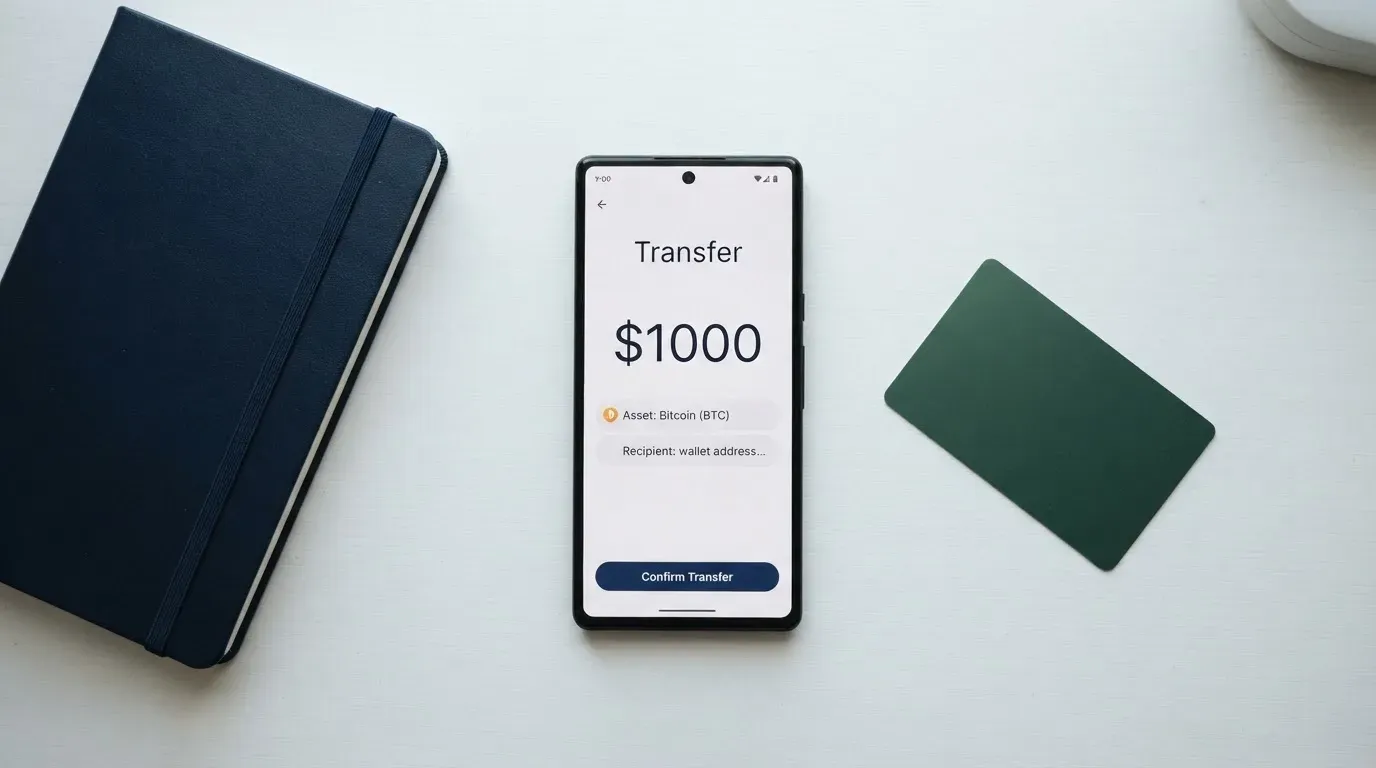
The minimum top-up amount and any top-up fee for the Visa card are not stated. On-chain network fees for the deposit are charged by the blockchain, not by BingX, and they apply regardless of the card: if you send USDT over a congested network at a busy time you will pay gas, and the gas is paid in the network’s native asset, not in USDT. USDT is issued on several networks, and BingX’s deposit screen will tell you which network to use; send it on any other network and the funds can be lost, because a transfer on the wrong chain is typically not recoverable.
A practical sequence: hold USDT in your own wallet, open the BingX app, go to the Funding Account, copy the deposit address and the network, send a small test amount first, wait for it to land, then send the rest. The test-then-full pattern is cheap insurance against the most common top-up mistake, which is sending USDT on a network the exchange does not support, and the card cannot be used until the USDT is sitting in the Funding Account.
When you want to stop using the card, the terms tell you to end your participation by contacting Customer Support and completing whatever closure, verification, repayment or cancellation steps the support team sets. The page does not state a timeline for getting any leftover balance back, and it does not state a closure fee, so the only thing you can plan around is the act of asking.
Paying with it every day
Once USDT is in the Funding Account, the card works like a normal Visa debit. The virtual card lives inside the BingX app and can be added to Apple Pay or Google Pay; the metal card arrives by post and can be added the same way after activation. Both card types work in stores and online, and both are protected by 3-D Secure for online purchases, which means you will sometimes be asked to confirm a payment in the BingX app with a code or biometric.
The metal card also adds three things the virtual card does not have. It can be used in physical stores with a tap, swipe or insert at the terminal, it works at ATMs with a four-digit PIN you set at activation, and it has the higher 3% to 5% cashback tier. The virtual card is digital-only, so it has no PIN, no magnetic stripe and no ATM access.
There is no list of blocked merchant categories on the card page. The terms do note that some merchants, regions or industries may decline the card for compliance reasons, and the most common example in this category is gambling (the MCC 7995 group of casinos, betting and lotteries), which many issuers block by policy. If a payment is declined, the more common causes in the wider category are address-verification mismatches on foreign-issued cards and merchant reluctance to accept prepaid BINs from unfamiliar issuer countries, both of which are visible to a merchant at the BIN lookup but invisible to you at the till.
Authorization holds can last up to 30 days according to the card terms, which is longer than the 7 days a card payment usually takes to clear. A hold does not mean the money has been spent twice, but it does mean your available balance can look lower than it really is for up to a month after a large purchase.
If you see an unauthorized or incorrect transaction, the terms say to report it as soon as you become aware. BingX will investigate and may credit your account “within a reasonable period”, with no day count, and the credit is not guaranteed to stick because it can be reversed if the investigation finds the transaction was legitimate. Disputes that BingX cannot resolve go to 30 days of negotiation and then to arbitration at the Singapore International Arbitration Centre. The card page does not state whether the standard Visa chargeback route is available, so the safest reading is that dispute resolution runs through BingX first, not through your bank.
What can go wrong
The card is custodial, which means the balance it spends is held by BingX, not by you. If the exchange is hacked, becomes insolvent, freezes accounts, or decides that you have breached its terms, the card stops with the account, and you do not have a private key to fall back on. The card page does not state how the underlying USDT is held, who the custodian is, or whether the balance is segregated, so a BingX-side incident is also a card-side incident.
The card page points to several familiar exchange safeguards. BingX Shield Fund, 3-D Secure, two-factor authentication, end-to-end encryption and instant transaction alerts are all listed. If the card is lost or stolen you can freeze it from Card Management in the app and then contact support. The card terms do not list an email, Telegram handle or support hours, and the only public-facing support channel named on the page is the Help Center at bingx.com/uk/help. The lack of a stated response window means there is no published SLA to hold the support team to.
The issuer is not named on the card page. BingX’s launch blog says the card is run with Wirex, a Banking-as-a-Service provider that holds the Visa principal membership and puts the card on the network, but the card terms page refers only to “the applicable card issuer” under a Visa licence. The launch blog is dated 13 July 2026 and was updated on 22 July 2026; the card terms page is dated 2 July 2026, and the user guide was updated on 7 October 2026 with references to a September 2026 programme update whose content was not found in the public pages.
The exchange’s public reputation is the bigger risk factor. The whole-BingX Trustpilot page sat at 1.5 out of 5, marked “Bad”, with 766 reviews and 64% one-star ratings, as of 20 October 2026. The recurring complaint themes in 2026 were account restrictions and frozen funds blocking withdrawals, deductions for alleged improper gains or promotion violations, repeated ID and video verification, slow or generic support, and forced liquidations. One secondary aggregator (rfp.wiki) reported a BingX Trustpilot rating of 1.3 to 1.6 with conflicting figures, and also reported the rating as unavailable at one point following fake-review enforcement. None of these complaints are card-specific, but a card that lives on top of an account is only as good as the account it sits on.
Stablecoin-specific risks apply. The card is funded in USDT, which is a Tether-issued token, and Tether states that it has disabled tokens in wallets on the OFAC sanctions list and has frozen funds tied to illicit activity. USDT is therefore not censorship-proof, and a sanction event affecting the Funding Account could in principle freeze the balance. The same applies, more directly, to your own account: if BingX’s risk team decides that the account is non-compliant, the USDT is held by the custodian and the card cannot spend it.
Program-level risk is also worth keeping in mind, because the wider category has been through it. Visa terminated its global agreements with FTX in November 2022, the FTX US debit card was wound down by its issuer, and in 2018 Visa suspended WaveCrest in Europe, closing every WaveCrest-issued crypto card programme. The pattern is well established: a card programme can be wound down by the network or the issuer, and the notice period is short. The BingX page does not state a notice period for a programme shutdown, and the only public-facing closure step is “contact support”.
What to take instead
The BingX card is a USDT-only card on a custodial exchange, so the alternatives worth comparing are other cards that sit on top of an exchange account, with a different mix of coins, fees and geography. The two closest in shape are the Bybit card and the Coinbase card, and OKX is the most direct EEA comparison.
Bybit card is the closest sibling product. It runs a virtual and a physical card on Mastercard and Visa, draws on the Bybit Funding Account, and earns tiered cashback in USDT. The fee picture is more transparent: virtual issuance is free in all regions, the conversion fee is 0.9% over the One-Click Sell rate (0.5% in Argentina), and the FX fee is 2% in most regions. Region coverage is narrower than BingX and is published country by country, and EEA customers are explicitly told that participation is prohibited. Bybit scores 6.0 out of 10, which is fractionally higher than BingX, mostly because the fees and the region list are public.
Coinbase card is the only one of the three that is a US-only product. It is a Visa prepaid debit available in all US states except Hawaii, the card itself has no spending or annual fees, and the cost is the spread Coinbase charges when it converts your crypto to dollars at the point of sale. The rewards structure is a choose-your-own crypto cashback, with the rate shown in the app. The account-opening rules follow the USA PATRIOT Act, and there is no non-US equivalent. Coinbase card scores 6.4 out of 10, the highest of the three, on the strength of the published fee story and the US regulatory clarity.
OKX is the EEA comparison. The card launched in the EU plus Norway on 28 January 2026. It is a Mastercard euro-denominated virtual debit card linked to OKX Pay, with no card, transaction or FX fees, and a 0.1% conversion spread. Cashback is paid in USDG, with monthly caps ranging from 2% on 10 euros to 10% on 1,000 euros. OKX scores 6.2 out of 10, reflecting its euro denomination and focus on the EEA.
| Card | Score | Coins supported | Region | Card fee | FX fee | Cashback |
|---|---|---|---|---|---|---|
| BingX | 5.8 | USDT only | EEA, APAC, LATAM and other selected regions | Virtual free, Metal $180 | Not stated | 2%–5% in USDT |
| Bybit | 6.0 | BTC, ETH, XRP, USDT, USDC, GRAM | Country-by-country list, no EEA | Virtual free, physical varies | 0.9% conversion, 2% FX | Tiered, 2%–10% in USDT |
| Coinbase | 6.4 | Anything on Coinbase (converted to USD) | US only (not Hawaii) | None | Spread at payment | Choose-your-own crypto |
| OKX | 6.2 | USDC and USDG only | EEA plus Norway | None | 0.1% spread (explainer) | USDG only, 2%–10% |
The short version: if you hold USDT and live in a BingX-supported region outside the EEA, the BingX card is a reasonable fit. If you hold other coins, or you want fees you can read, or you live in the EEA, one of the other three will probably suit you better.
Who I would recommend it to
I would recommend the BingX card to a BingX exchange user who already holds USDT in their Funding Account, lives in a supported country outside the EEA, is comfortable with the exchange despite its mixed public reputation, and is happy to discover the retail and FX rates by spending rather than by reading the terms. The 2% to 5% cashback in USDT, the free virtual card, the Apple Pay and Google Pay support on both card types and the ATM access on the metal card are a usable package if the underlying USDT balance is the right balance for you in the first place.
I would not recommend it to someone who holds BTC, ETH, USDC or any other coin, because there is no direct path from those balances to the card and you would have to convert inside BingX first, paying the exchange spread at each step. I would not recommend it to an EEA user, because the Bybit card is closed to the EEA and the OKX card is the cleaner EEA option. I would not recommend it to anyone who wants a published fee schedule, a named issuer on the card’s own page, or a chargeback path that runs through Visa rather than through BingX support. And I would not recommend it to anyone who is not already comfortable with BingX as a custodian, because the card inherits every risk the account has and adds none of the protections of a self-custody wallet.
The single biggest reason to pause is the cost transparency. A card that does not publish its retail purchase fee, its FX rate, or its cash-advance rate is hard to budget against, and the published savings (no annual fee, first $200 a month of ATM withdrawals free, USDT cashback) do not answer the question that matters at the till, which is what percentage of a $50 purchase in a foreign currency ends up as a charge on your statement. The single biggest reason to consider it anyway is that you can test the product on the free virtual card before you spend the $180 on the metal one, and the test only costs a single KYC upload and a small USDT top-up.
Frequently asked questions
What is the BingX card?
The BingX card is a Visa debit card that draws on a USDT balance held in your BingX Funding Account, converts at the real-time rate, and settles the payment in US dollars. There is a free virtual version and a $180 metal version, and both work with Apple Pay and Google Pay.
How does the BingX card work?
You hold USDT in your BingX Funding Account, the card pulls the USDT at the moment of payment, BingX converts it to US dollars, and the merchant is paid in US dollars. On a non-dollar purchase the network then converts the dollars to the merchant’s currency at a rate the card page does not state.
Is BingX a bank?
No. BingX is a cryptocurrency exchange. The card runs in partnership with Wirex, which holds the Visa principal membership, and the BingX card page refers to “the applicable card issuer” under a Visa licence rather than naming Wirex directly.
Who owns BingX?
The BingX card page does not state who owns the exchange. The launch blog says the card is run in partnership with Wirex, a Banking-as-a-Service provider, and the card’s own terms page only refers to “the applicable card issuer”.
Is the BingX card available in my country?
The card page says Europe (EEA), APAC, LATAM and “other selected regions”, and it does not publish a country list. The older Euro Mastercard programme excluded Cuba, Iran, Russia, Ukraine, Pakistan, Nigeria and mainland China, but that list is not reproduced on the current Visa card page, so the only reliable check is to ask BingX support before you upload documents.
How do I get the BingX card?
You open and verify a BingX account, then apply for the card in the app. The virtual card is issued instantly and costs nothing; the metal card is mailed in 15 to 30 business days and costs $180 for non-VIP, non-agent users.
Does the BingX card require KYC?
Yes. The card terms say identity verification is required and that the information you give must meet the rules of the country you live in. The card page does not list the documents you will be asked for, the KYC tiers the issuer uses, or how long the review takes.
How do I top up the BingX card?
You put USDT into your BingX Funding Account, by depositing from an external wallet, by buying USDT through Quick Buy, or by buying on the P2P market and transferring it across. The card page does not state a minimum top-up or a top-up fee for the Visa card, and the card does not support any token other than USDT.
Is the BingX card free?
The virtual card is free, there is no annual fee, and shipping is free for both card types. The metal card costs $180 for non-VIP, non-agent users. The retail purchase fee, the FX fee and the cash-advance rate are not stated on the card page, so the only way to find the real cost of a payment is to make one.
Is the BingX card safe?
The card is custodial, which means the USDT sits inside BingX, and the card page lists BingX Shield Fund, 3-D Secure, two-factor authentication, end-to-end encryption and instant transaction alerts. The wider BingX exchange has a 1.5-out-of-5 Trustpilot rating over 766 reviews, with restrictions, frozen funds and slow support the dominant complaint themes, and the issuer is not named on the card’s own page.
Exchange cards – cryptocardsranked
Content created by the «cryptocardsranked» team