
Bipa card: a Brazilian Bitcoin card with fees you can reduce by spending
 Available in US
The Bipa card is a Mastercard issued in Brazil that lets you spend a balance funded by cryptocurrency, with Bitcoin paid back as cashback on purchases. It comes in prepaid and credit flavours, runs on a tiered plan system (Free, Plus, Pro, Max), and the higher your plan the larger the percentage you get back in satoshis. The product is built for Brazilian residents — the company is Brazilian, the plans are priced in reais, and the company talks about Brazilian risk criteria and Brazilian payment terms rather than a global rollout. If you live in Brazil and want a Mastercard that quietly turns some of your spending into Bitcoin, Bipa is one of the more interesting options in the country. If you are outside Brazil, or you want a card with clearly published FX fees and ATM costs, the picture is much thinner.
This page is a review of what Bipa publishes and how the card behaves, based on the company’s own pages, and is current as of October 28, 2026. I’ve focused on the practical things you will want to check before signing up: eligibility, costs, how to top up, and what can go wrong.
Verdict
Bipa scores 5.9 out of 10 in my review. The reason it is not higher is the eligibility side: this is a Brazilian product for Brazilian residents, and the card terms do not spell out the criteria for getting one. The cost side is better — monthly plans are clearly priced, the physical card is free on the top two tiers, and the cashback percentages are easy to understand. The top-up story is the strongest part: Pix, Bitcoin on-chain and Lightning, and several stablecoins and tokens are all listed. The everyday use score is held back by the fact that Apple Pay and Google Pay are not named, and the daily and monthly limits the card may apply are not published.
The verdict in one sentence: a well-priced Brazilian Bitcoin card for people who already live in Brazil and don’t need a global card with published FX fees.
| Criterion | Score | Why it earns that mark |
|---|---|---|
| Who can get it | 2/10 | Brazil-focused: company is Brazilian, plans priced in reais, credit card based on Brazilian risk criteria, eligibility not stated |
| Cost | 6/10 | Free, Plus R$14.90, Pro R$49.90, Max R$99.90 per month; some fees waived by usage; physical card free on Pro and Max; FX fees not published |
| Top-up options | 8/10 | Pix, Bitcoin on-chain and Lightning, USDT on Ethereum and Polygon, plus USDC, SOL, XRP, ETH; USDT on Solana not accepted |
| Reliability and complaints | 8/10 | Issuer Stark Bank named; Bipa Intermediação de Ativos Digitais LTDA operating since 2020; no Reclame Aqui or Trustpilot page found |
| Everyday use | 7/10 | Mastercard prepaid and credit, virtual and physical; digital wallet support conditional; Apple Pay and Google Pay not named; ATM limits exist but amounts not stated |
| Total | 5.9/10 |
In short: Bipa suits a Brazilian resident who wants to be paid in Bitcoin for everyday spending and is happy to hold the card in reais. It does not suit someone who needs an international card with published FX and ATM costs, or someone who is not in Brazil.
Will they give you the card
Bipa does not publish an eligibility list on the pages I read. The card programme is Brazilian: the company behind the app is Bipa Intermediação de Ativos Digitais LTDA, founded in 2020, and the card issuer named in the terms is Stark Bank S.A. Instituição de Pagamento. Plans are priced in reais, the credit card is approved “according to Bipa’s risk criteria,” and the foreign-use wording talks about “travel and personal expenses, in credit mode only,” which only makes sense if you mostly live and pay in Brazil.
In practice, what this means for you:
- The app is designed for Brazilian residents. Bipa requires a Brazilian tax ID (CPF) and a Brazilian address, as indicated by the Brazilian-focused card programme, plan pricing in reais, and Bipa’s credit-risk criteria. Sign-up flows are restricted to individuals who meet these domestic requirements.
- Citizenship rules are not stated on the public pages. Bipa and Stark Bank may verify data at any time, and the card terms reserve the right to ask for updated documents later.
- Some users are blocked from getting a card at all. The card terms do not say who is excluded beyond the general “false information can lead to suspension and cancellation” wording.
The honest summary: Bipa has not told me, in any number, who passes its checks. If you are outside Brazil, the default expectation is that you will not get the card. If you are in Brazil, your credit profile and KYC documents are the only filter you can see.
There is one more thing worth understanding about who gets these cards, and it is a fact about the category rather than about Bipa. Card payment numbers begin with an issuer identification number (BIN) of six or eight digits that identifies the institution that issued the card. Merchants can look up that BIN and see both the issuer and the country, and a shop may apply extra scrutiny when the issuer’s country differs from the customer’s billing address. This is why a card issued in one country can look “foreign” to a shop in another — and why a Brazilian BIN will read as a Brazilian card almost everywhere you might use it. It also means a prepaid card from a crypto brand is visibly a prepaid card to some merchants, because the BIN lookup reveals the card type. If you have been declined abroad before, this is often the reason.
In practice, that means eligibility is only the first gate. Even if Bipa issues you the card, some merchants will treat a prepaid Brazilian Mastercard more carefully than a local debit card.
How to get it
The sign-up flow is a normal mobile-app onboarding for a Brazilian fintech:
- Download the Bipa app (iOS or Android).
- Create an account with your personal details. You will need to take a selfie and send a document — the card terms call this “selfie plus document” and reserve the right to ask for updated information later. The company does not publish the list of accepted documents, the levels of due diligence, or the processing time.
- Choose a plan: Free, Plus, Pro, or Max. The plan determines your monthly fee, your Satsback percentage, and whether the physical card is free or paid.
- If you want the credit card (Bipa Crédito), it is subject to a prior analysis — the limit follows Bipa’s risk criteria and the card terms, and the amounts are not listed.
- Activate the card. The virtual card exists for prepaid mode and “can be enabled in crypto.” The physical card is free on Pro and Max and paid on Free and Plus; the fee is not stated. Delivery time is described as “per the periods informed by support channels,” which in practice means you will only find out the timing once you ask.
The credit card has a feature you don’t see often: it lets you buy Bitcoin on credit in up to 3 instalments. That is a separate product from the prepaid card, with its own approval flow.
What you should not assume:
- That Apple Pay or Google Pay are supported. The card terms say the card “may be enabled in digital wallets according to eligibility,” but neither wallet is named on the page I read.
- That the physical card will arrive in a known number of days. Bipa leaves this open.
- That the credit card is automatic. Bipa Crédito requires its own analysis.
What it really costs: fees and everyday payments
The monthly plan fee is the cost you can plan for. Everything else — FX, conversion, ATM — is not published in numbers on the pages I read, which is the main reason the cost score is 6 and not higher.
Plan fees
| Plan | Monthly fee | Physical card | Satsback on purchases |
|---|---|---|---|
| Free | R$0 | Paid (amount not stated) | 0% |
| Plus | R$14.90 | Paid (amount not stated) | 0.5% |
| Pro | R$49.90 | Free | 1% |
| Max | R$99.90 | Free | 1.5% |
The plan fees can be waived by usage — Bipa describes discounts tied to spending, though the exact thresholds are not spelled out in the pages I read. There is no plan-cancellation fee and no card-cancellation fee. On cancellation, Bipa may deduct amounts you owe from your available balance, and cancelling the card does not cancel the plan.
Costs that are not in numbers
These are real fees you should expect, but the figures are not in the card terms:
- FX and conversion fees: Bipa only says the FX rate “may be higher or lower than the BCB average rate” and that the IOF (the Brazilian tax on foreign exchange) applies, without naming the percentage. The fee table the terms refer to is the Tabela de Tarifas, a separate document from the terms themselves.
- ATM fees: daily, weekly or monthly ATM limits may be imposed, and ATM fees follow the Tabela de Tarifas and your plan. The numbers are not listed.
- Card issuance: free on Pro and Max, paid on Free and Plus. The amount is not stated.
Three everyday payments and which fees apply
To give you a sense of what hits your balance, here are three typical cases.
- Buying a R$100 coffee in São Paulo with the prepaid card. The fee is the network/merchant markup (if any) and any plan-level processing fee in the Tabela de Tarifas. If you are on Pro, the Satsback is 1% in BTC, posted after settlement. Crypto bought with the card is excluded from the cashback, so if you used the card to buy Bitcoin inside the app, that transaction gets no Satsback.
- Buying a R$50 streaming subscription in USD with the credit card. This is the foreign-use case, so the FX fee applies (amount not published) and the IOF tax applies (rate not named). The Satsback posts after you pay the invoice, not at the moment of purchase.
- Withdrawing R$200 from an ATM in Brazil. The ATM fee follows the Tabela de Tarifas and your plan; the daily, weekly or monthly limit may cap you. The amount is not listed on the pages I read, so the only way to know is to ask support or watch your statement on the first withdrawal.
The practical effect is that you can budget the monthly fee, and you know the Satsback percentage, but you cannot budget a single foreign-currency transaction in advance. If you travel, this is the gap to watch.
Why published fees are hard to find on cards like this
It is worth understanding why a fee you care about — the cost of spending in a foreign currency — is often not in the marketing material. Bipa’s FX fee, the IOF tax rate, and the ATM charges all sit in a document called the Tabela de Tarifas that the card terms reference but do not quote. This is normal for Brazilian fintechs: the tariff table is a separate legal document, and the terms point to it rather than reproduce it. The practical advice for any card with this structure is to ask support for the tariff table before you rely on the card abroad, or to make one small foreign transaction and read the resulting statement.
Two more category facts affect what a payment really costs. Merchants classify businesses by a four-digit merchant category code (MCC), and some issuers block particular MCCs by policy rather than by law — gambling (MCC 7995, covering casinos, betting and lotteries) is the classic example. Bipa says some transactions classified as MoneySend by the processor are blocked and publishes no list of blocked MCCs, so you cannot check in advance whether a specific merchant will work. Online payments may also trigger a 3-D Secure identity check, where the issuer assesses risk and either approves the payment silently or challenges you with a one-time code or biometric. Address verification, which compares the numeric parts of your billing address with the issuer’s records, is mainly offered in the US, Canada and the UK and is generally unavailable for foreign-issued cards, so some online checkouts will decline you for reasons that have nothing to do with your balance. Finally, a declined authorisation can leave a temporary hold on your funds that remains for several days, typically up to seven, even though no money actually changed hands.
How to top up Bipa
This is the part Bipa does well. The prepaid card’s balance can be enabled in crypto, and the credit card is backed by reais held as collateral. Plan fees are debited from the prepaid balance or your reais balance.
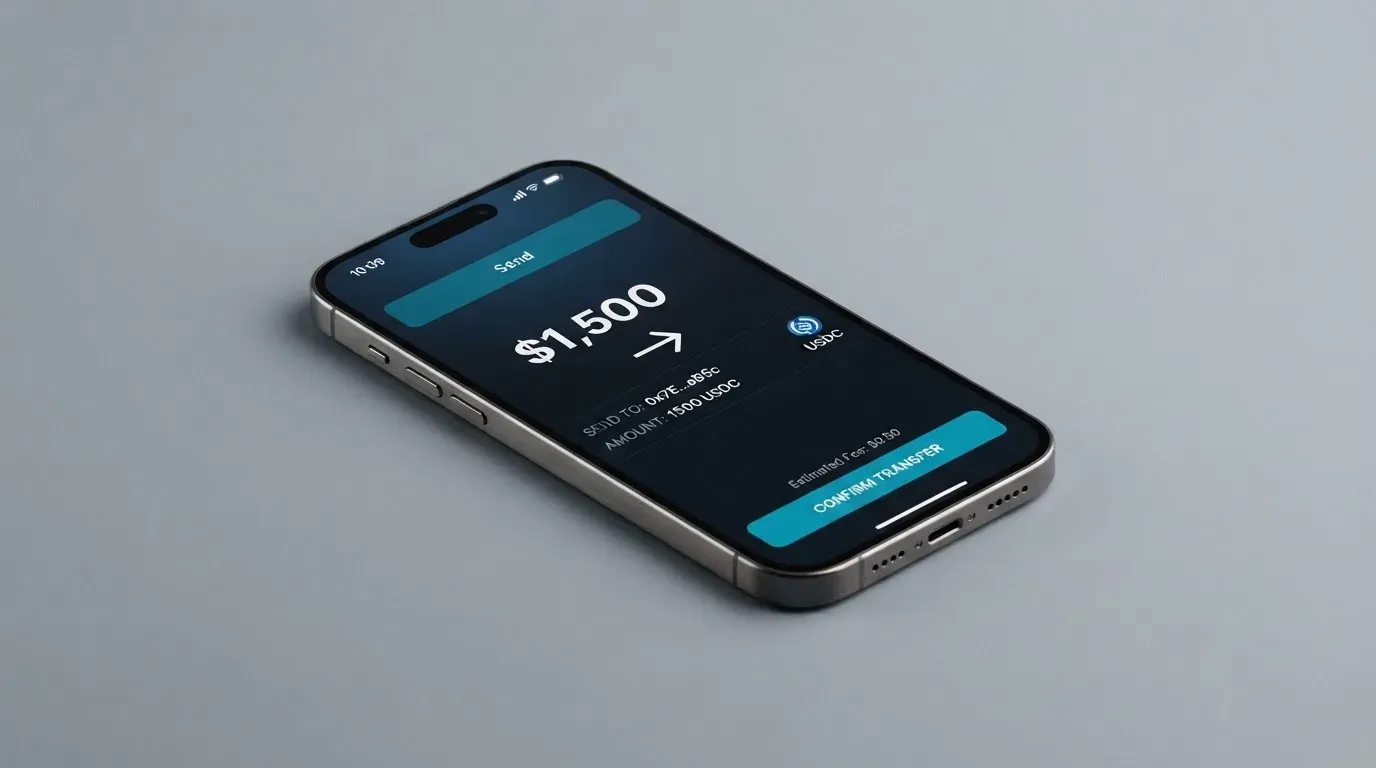
What you can deposit
- Pix: native Brazilian instant payment. This is the obvious default for a Brazilian user.
- Bitcoin: on-chain or Lightning. The Lightning option matters for small amounts, because on-chain fees would otherwise eat the value.
- USDT: on Ethereum (ERC-20) or Polygon only. USDT on Solana is explicitly not accepted — this is the one rule to remember if you hold USDT on Solana.
- USDC, SOL, XRP, ETH: also listed, with the networks shown in the app.
A “Cofrinho” (piggy bank) feature inside the app has a minimum of R$50. Deposit fees are not stated.
A safe way to make your first top up
Pick the asset and network from the list inside the app, not from memory. Stablecoins sent on a network the card provider does not support, or to an address of another network, can be lost or need manual support recovery with no guarantee. For USDT, double-check that you are sending on Ethereum or Polygon, not on Tron or Solana. For Bitcoin, Lightning is the right answer for small amounts and on-chain for larger ones. The general rule: a wrong network is the most common way to lose a crypto deposit, and no card provider can reverse a confirmed blockchain transaction.
Withdrawals
The card is not a one-way street. There is a guide for withdrawing or transferring USDT (USDT on Polygon by the looks of the title) and a US$100,000 limit on international crypto transfers, but I only read the page titles. The exact mechanics — fee, processing time, currencies supported — are not in the parts of the page I saw.
A general point about network choice applies here too. Bitcoin, USDT and the other tokens Bipa lists all exist on more than one blockchain, and the network you use changes what you pay and whether the deposit arrives at all. Ethereum transactions cost gas paid only in ETH, so a wallet holding USDT but no ETH cannot send it — a small detail that catches people out. Tron uses its own bandwidth and energy system, with fees often paid by burning TRX. USDT has been issued on Ethereum, Tron, Solana, Polygon, Avalanche and others, while USDC’s native networks include Ethereum, Solana, Base, Polygon PoS, Avalanche, Arbitrum and Stellar, and Circle stopped supporting USDC on Tron in early 2024. None of this is Bipa’s design, but it is the environment Bipa operates in, and it explains why the app’s network selector is the one screen you should read carefully every time.
Paying with it every day
In day-to-day use, Bipa behaves like any Mastercard prepaid or credit card, with two Bitcoin-related twists.
Satsback (the cashback)
Satsback is paid in Bitcoin on card purchases, at the percentages shown in the plan table. The crypto you buy with the card is excluded from Satsback, which means funding the card with Bitcoin and then using the card to buy more Bitcoin inside the app does not earn a double reward. On the credit card, Satsback posts after the invoice is paid; on the prepaid card, after the transaction settles. Chargebacks reverse Satsback, so a refunded purchase takes the Bitcoin back.
Collateral reward
There is a second, separate reward: a return in BTC on the reais you keep as collateral for the credit card. By plan, the percentage of the CDI rate (Brazil’s interbank rate) is:
- Free: 75% of CDI
- Plus: 100% of CDI up to R$3,000, then 90% above
- Pro: 110% of CDI up to R$5,000, then 100% above
- Max: 115% of CDI up to R$5,000, then 100% above
This requires the card to be active. The CDI rate is a Brazilian reference rate set by the central bank, so this reward is essentially a yield on the reais you keep locked up as collateral, paid in Bitcoin.
App and reviews
Bipa claims 4.8 on the App Store and 4.7 on Google Play, with 20,000+ ratings and 300,000+ downloads (company claim, read 2026-10-20). I have not verified these against the stores.
Disputes and chargebacks
If you don’t recognise a transaction, you have 5 days from the transaction date to report it. Stark Bank does a preliminary analysis and a final analysis “within the period defined by Stark Bank” — the days are not stated. There is a 7-day right of withdrawal for online purchases. Bipa explicitly does not assume responsibility for the dispute outcome, and chargebacks reverse any Satsback. The 5-day window is short, so set a reminder to check your statement weekly.
Digital wallets
The card “may be enabled in digital wallets according to eligibility,” but Apple Pay and Google Pay are not named. Some transactions classified as MoneySend by the processor are blocked, and there is no published list of blocked merchant categories.
What can go wrong
The risks section is short, because Bipa is a young Brazilian company and a normal fintech risk profile applies.
Complaints and reputation
I searched the dedicated Reclame Aqui and Trustpilot pages for Bipa card complaints and found nothing. That is a neutral result rather than a clean bill of health — Reclame Aqui and Trustpilot are where Brazilian users tend to leave complaints, and a brand-new or niche card can simply have too few reviews to show up. Bipa markets a 4.8 rating from 26,000+ reviews, but that figure is on the company’s own page and I have not verified it against an independent platform.
Company and issuer
- Bipa Intermediação de Ativos Digitais LTDA: CNPJ 37.008.710/0001-78, founded 2020 in Brazil, describes itself as a payment institution and a VASP, regulated by the Central Bank of Brazil (company claim).
- The card issuer is Stark Bank S.A. Instituição de Pagamento, named in the card terms. A separate entity, BIPA Instituição de Pagamento Ltda (CNPJ 40.910.463/0001-05), appears in some descriptions of the plans.
- An undated company-page note mentions R$17 million in funding from Ego Death Capital.
The risk picture is the usual one for a card programme: Bipa is the brand and the app you interact with, but the card itself is issued by Stark Bank. If Stark Bank has a problem, the card programme has a problem.
Security
The PIN blocks the card after 3 wrong attempts; you unlock it in the app. If your card is lost or stolen, you report it to support, and Bipa says it only answers for third-party misuse after the block is requested. The card terms say Bipa and Stark Bank “never ask” for passwords, which is the standard anti-phishing reminder. Custody insurance is not stated.
Support
Support is Portuguese-only and the channels are: in-app chat (Profile > Ajuda e suporte), Help Center chat or form (reply up to 24 business hours), social media, and email at [email protected]. Hours: Mon-Fri 09h-21h, Sat-Sun 09h-15h. The time zone is not stated.
Things to watch
- A card-issuing licence can be suspended. In November 2022 Visa terminated its global agreements with FTX, and in 2018 WaveCrest (a Visa issuer for several crypto cards) was suspended by Visa in Europe. A similar event at Stark Bank or with Mastercard would freeze the Bipa programme overnight.
- Blockchain deposits are irreversible. Send USDT on the wrong network, or to a deposit address of another network, and you will need manual support with no guarantee of recovery.
- Stablecoins are not guaranteed to hold their peg. Past examples include TerraUSD in May 2022 and USDC briefly in March 2023.
- The dispute window is 5 days. If you travel and don’t check the app, a fraudulent charge can fall outside the reporting window.
- FX, conversion and ATM fees are not published. The only way to know the cost of a foreign transaction or a cash withdrawal is to make one and read the statement.
What to take instead
If Bipa is not for you — because you are outside Brazil, or because the unpublished fees bother you — here are three alternatives from the same general category. None is a perfect swap: Bipa’s strong suit is the Brazilian Pix + Bitcoin + Satsback combination, and you should pick an alternative on what you actually need.
| Card | Score | Issuer | Network | Top-up | Best for |
|---|---|---|---|---|---|
| Bipa | 5.9/10 | Stark Bank (named) | Mastercard | Pix, BTC, USDT, USDC, SOL, XRP, ETH | Brazilian residents wanting BTC cashback in reais |
| Nexo | 6.3/10 | DiPocket UAB | Mastercard (trademark) | 100+ digital assets, stablecoins, FiatX | Europeans with $5,000+ to hold and use Credit Mode cashback |
| Xplace | 7.7/10 | Not stated | Visa | BTC, ETH, SOL, USDC, USDT, xStocks on Solana | Users who want a Visa with tiered USDC cashback |
| ether.fi | 6.7/10 | Not stated | Visa | Any supported token to your Safe | Users who want a self-custody-linked card with ETHFI rewards |
Nexo
Nexo’s card is issued by DiPocket UAB and is available to residents and citizens of “selected European countries, including the EEA and the United Kingdom,” though the actual country list is not on the page. There is no monthly, annual or inactivity fee. The virtual card needs at least $50 in the account to activate; the physical card is shipped free but requires more than $5,000 in digital assets and the Gold tier. FX fees are published: 0.2% on weekdays for EEA/UK/CH, 2% elsewhere, 0.7% and 2.5% on weekends. Cashback is paid in NEXO tokens or Bitcoin in Credit Mode, and you need more than $5,000 in the account to earn it. The downside is the high entry threshold for the rewards and the unclear eligibility list.
Xplace
Xplace runs on the Visa network in 160+ countries, with Cash mode spending stablecoins and Credit mode borrowing against holdings. Annual fees are Basic free, Silver $99, Gold $249, Platinum $999, and Platinum has 0% FX. Deposits are on the Solana network (cbBTC, wETH, SOL, JitoSOL, USDC, USDT, xStocks). Cashback is paid in USDC at settlement, ranging from 0.5% (Basic) to 2% (Platinum). Xplace is a fit for someone who wants a Visa with clear tiers and a USDC reward, and is happy to use the Solana network for deposits.
ether.fi
The ether.fi card is Visa, virtual and physical, with a published list of supported jurisdictions (Andorra, Argentina, Australia, Austria, Brazil, Canada, Cyprus, Czech Republic, France, Germany, Hong Kong, Hungary, Italy, Japan, Mexico, Poland, Portugal, Singapore, Spain, Switzerland, UAE, UK, plus 31 US states; Belgium and Ireland eligible without physical delivery). Core members get a free virtual card; in a list of regional-pricing countries (Argentina, Angola, Bangladesh, Bolivia, Colombia, Ecuador, Indonesia, Malaysia, Mexico, Nigeria, Peru, Philippines, South Africa, Thailand) the first virtual card costs $10. FX fees by tier: Core 0.5%, Luxe 0.25%, Pinnacle and VIP none, with EUR purchases at 0%. Cashback is in ETHFI, locked 7 days then claimable, and the cap varies by tier. The product is a better fit for someone who wants a self-custody-linked card and is happy with the ETHFI token as the reward.
Who I would recommend it to
I would recommend Bipa to a Brazilian resident who:
- Wants a Mastercard prepaid or credit card and is comfortable with a Brazilian fintech.
- Plans to fund the card in reais via Pix for everyday spending, and treats the Bitcoin top-up options as a bonus, not the main path.
- Wants Bitcoin cashback in the form of Satsback, and is on Pro or Max to get 1% or 1.5% back rather than 0% or 0.5%.
- Is happy to be a credit-card customer with a reais collateral balance, so the CDI-linked BTC yield on the collateral matters to them.
- Does not need Apple Pay or Google Pay on day one, and does not travel abroad often enough that unpublished FX fees become a real cost.
I would not recommend Bipa to:
- Anyone outside Brazil. The product is built for Brazilian residents, the plans are in reais, and the foreign-use wording assumes a domestic customer.
- Someone who needs the card’s FX, conversion and ATM fees spelled out in advance. Bipa leaves these to the Tabela de Tarifas and does not link to it from the pages I read.
- A heavy traveller. Foreign use is “credit mode only” and the FX rate can diverge from the BCB average in either direction.
- Anyone who needs a global card programme with a long track record and a public Reclame Aqui or Trustpilot presence. Bipa is young, Brazilian, and the public complaints pages I searched did not turn up results — that is not the same as a clean record.
- Someone who plans to hold a balance on the card for a long time without spending it, because the deposit rules and the unpublished fee table make it hard to know exactly what your money is doing while it sits there.
The convenience trade-off
Bipa’s cashback, its interest-like collateral reward and its support system are all reasonable. The catch is that it is Brazilian by design. Support is Portuguese-only. The plan tiers, the fees, the reward rates and the Pix-first funding model are all built for someone whose life is in reais. If you read this review as a signal that the product is good, that is fair — but the product is good at being a Brazilian card, and there is no version of it that is quietly trying to be your international card.
Frequently asked questions
What is the Bipa card?
The Bipa card is a Mastercard prepaid and credit card issued in Brazil by Stark Bank, run by the Brazilian crypto company Bipa. It is paid for in reais and lets you earn Bitcoin cashback (Satsback) on purchases, with the cashback percentage depending on your monthly plan.
Is Bipa a bank?
No. Bipa is a Brazilian crypto company, Bipa Intermediação de Ativos Digitais LTDA, which describes itself as a payment institution and a VASP regulated by the Central Bank of Brazil. The card itself is issued by Stark Bank S.A. Instituição de Pagamento, not by Bipa directly.
How does the Bipa card work?
You top up the prepaid card via Pix, Bitcoin (on-chain or Lightning), or crypto; the card then spends that balance wherever Mastercard is accepted. The credit card is backed by reais held as collateral, and you can buy Bitcoin on credit in up to 3 instalments. Cashback posts after settlement.
How do I get the Bipa card?
Download the Bipa app, create an account, complete the selfie and document KYC, and pick a plan. The virtual card is available immediately; the physical card is free on Pro and Max and paid on Free and Plus. Delivery times are provided by support upon request.
Does Bipa require KYC?
Yes. Sign-up requires a selfie and a document, and the card terms say Bipa may ask for updated information later. The card terms do not publish the accepted documents, the due-diligence levels, or the processing time.
How do I top up the Bipa card?
Inside the app you can deposit via Pix, Bitcoin (on-chain or Lightning), USDT on Ethereum or Polygon, and USDC, SOL, XRP and ETH. USDT on Solana is not accepted. Always pick the network from the app screen, not from memory, because deposits on the wrong network are not guaranteed to be recoverable.
How do I add the Bipa card to Apple Wallet or Google Pay?
The card terms say the card “may be enabled in digital wallets according to eligibility,” but neither Apple Pay nor Google Pay is named. The reliable answer is to test in the app once your card is issued, not to assume the wallet will work.
What does the Bipa card cost?
A monthly plan fee of R$0 (Free), R$14.90 (Plus), R$49.90 (Pro) or R$99.90 (Max), with discounts for usage. The physical card is free on Pro and Max and paid on Free and Plus. FX, conversion, and ATM fees are not published and follow the Tabela de Tarifas.
Is the Bipa card safe?
The card has the usual fintech safeguards — PIN block after 3 wrong tries, in-app freeze, dispute process with Stark Bank, a 5-day reporting window, and a 7-day right of withdrawal for online purchases. Custody insurance is not stated, and the public complaints pages I searched (Reclame Aqui and Trustpilot) did not return results. Treat it as a young Brazilian product rather than an established global one.
How do I close the Bipa account?
The card terms do not charge a cancellation fee for the plan or the card. On cancellation Bipa may deduct amounts you owe from the available balance, and cancelling the card does not cancel the plan. For the exact steps, use the in-app support chat (Profile > Ajuda e suporte) or email [email protected].
Credit and cashback cards – cryptocardsranked
Content created by the «cryptocardsranked» team